
Account Contatti
Il tuo carrello
Spedizione DPD & FedEx
Serve aiuto? Chiedi all'AI

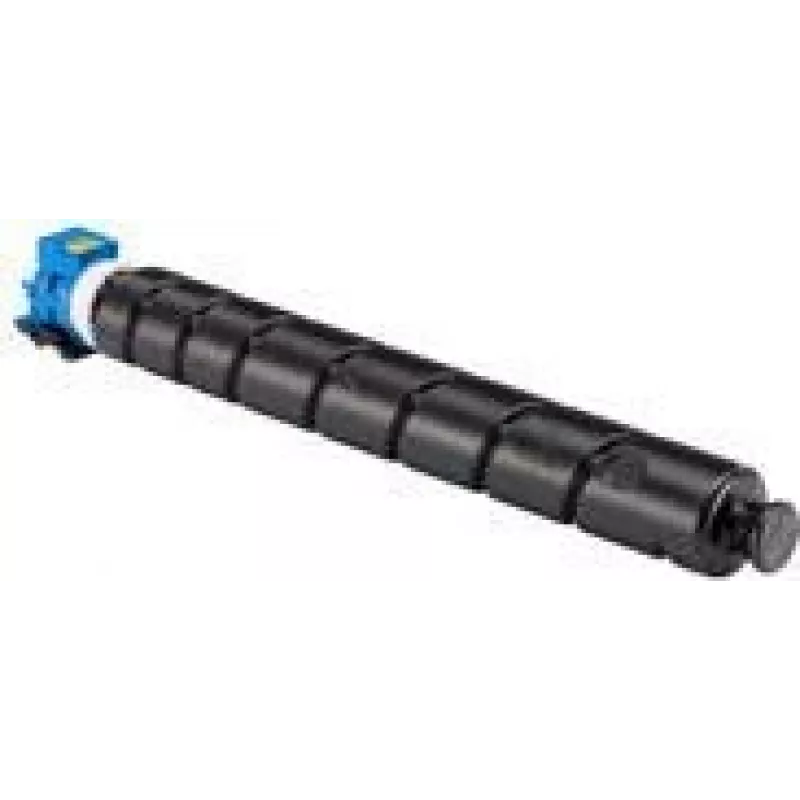
Cartuccia toner Kyocera TK-8525C 20000 pagine ciano

Cartuccia toner Kyocera TK-8525C 20000 pagine ciano
209,09 €
The Kyocera TK-8525C toner cartridge produces cyan prints with a rated yield of up to 20,000 pages. Designed for use with compatible Kyocera laser printers, the cartridge supplies consistent color density for business documents, charts and presentations. Its original design supports stable page yiel... Leggi di più
Stock EsauritoNon disponibile Codice 2456523 Marca KYOCERA Modello TK-8525C Garanzia 2 anni

Spedizioni e resi

The Kyocera TK-8525C toner cartridge produces cyan prints with a rated yield of up to 20,000 pages. Designed for use with compatible Kyocera laser printers, the cartridge supplies consistent color density for business documents, charts and presentations. Its original design supports stable page yields and straightforward installation to reduce downtime in busy office environments.

Advantages

This cyan toner cartridge offers high page yield and consistent color output across long print runs, helping to lower cost per page. It is built to integrate with printer firmware for accurate toner level reporting and minimal maintenance. The cartridge’s physical design facilitates secure fitting and simple replacement, while the toner formulation delivers sharp text and even solid fills.

Suitable for

  • Office environments with medium to high monthly print volumes
  • Production of reports, brochures and marketing materials requiring accurate cyan tones
  • Departments and workgroups sharing networked Kyocera laser printers

Key specifications

  • Color: Cyan
  • Estimated yield: up to 20,000 pages (according to manufacturer standard testing)
  • Print technology: Laser printing
  • Quantity per pack: 1 piece
  • Compatibility: Designed for use with compatible Kyocera printers

How to use

Turn off the printer or set it to standby according to the device manual before replacing the cartridge. Open the printer’s consumables access panel, remove the empty cartridge by lifting it straight out, and unpackage the replacement. Align the new Kyocera TK-8525C cartridge with the guides in the cartridge bay and slide it in until it clicks into place. Close the access panel and allow the printer to perform any initialization or calibration routine before printing. Dispose of the empty cartridge according to local recycling regulations.

Recommendations

Store the cartridge in a cool, dry place away from direct sunlight and strong magnetic fields. For consistent color and page yield, use the cartridge in devices with compatible firmware and update printer drivers when recommended by Kyocera. If print quality issues occur, run the printer’s diagnostic and cleaning routines before replacing the cartridge.

Punti salienti
  • Office environments with medium to high monthly print volumes
  • Original
  • Production of reports, brochures and marketing materials requiring accurate cyan tones
  • Printing colours: Cyan
  • Departments and workgroups sharing networked Kyocera laser printers
  • Colour toner page yield: 20000 pages
  • Color: Cyan
  • Laser printing
  • Estimated yield: up to 20,000 pages (according to manufacturer standard testing)
  • 1 pc(s)
  • Print technology: Laser printing
  • Quantity per pack: 1 piece
  • Compatibility: Designed for use with compatible Kyocera printers
Specifiche
Altezza
140 mm
Codice Sistema Armonizzato (HS)
84439990
Colori di stampa
Cyan
Compatibilità
TASKalfa 4052ci
Larghezza
120 mm
Marche compatibili
KYOCERA
Profondità
605 mm
Quantità per confezione
1 pc(s)
Resa pagine toner a colori
20000 pages
Tecnologia di stampa
Laser printing
Tipo
Original
Tipo di imballaggio
Box

Brochure

Apri documento
Lo storico prezzi non è ancora disponibile
Stiamo ancora raccogliendo dati giornalieri sufficienti sui prezzi per questo prodotto.

Prodotti più popolari in questa categoria

Ciao, sono l'assistente AI di DistriNode. Posso aiutarti a trovare prodotti, confrontare le opzioni, creare preventivi in PDF o aprire richieste di assistenza.