
Account Contatti
Il tuo carrello
Spedizione DPD & FedEx
Serve aiuto? Chiedi all'AI

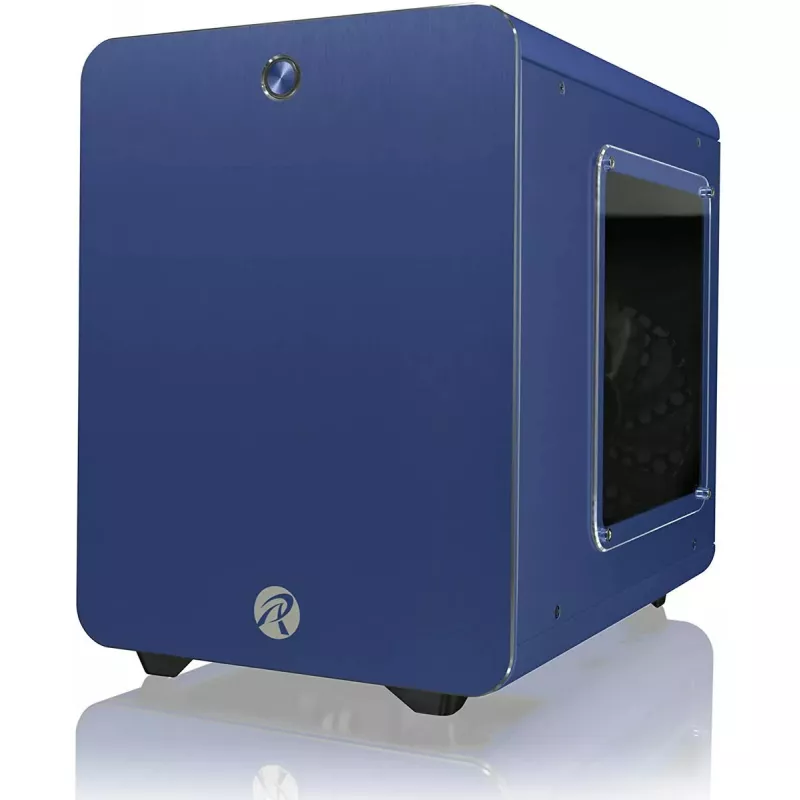
Case PC Tower RAIJINTEK METIS PLUS con pannello laterale in acrilico, blu

Case PC Tower RAIJINTEK METIS PLUS con pannello laterale in acrilico, blu
56,30 €
RAIJINTEK METIS PLUS is a compact tower PC case in blue with a transparent acrylic side panel that provides clear visibility of internal components. The chassis is designed to accept standard desktop hardware while maintaining a small footprint suited to desk setups where space is limited. The acryl... Leggi di più
Stock EsauritoNon disponibile Codice 2572271 Marca RAIJINTEK Modello 0R20A00058 Garanzia 2 anni

Spedizioni e resi

RAIJINTEK METIS PLUS is a compact tower PC case in blue with a transparent acrylic side panel that provides clear visibility of internal components. The chassis is designed to accept standard desktop hardware while maintaining a small footprint suited to desk setups where space is limited. The acrylic side window allows for easy monitoring and showcasing of cooling solutions, graphics cards and cable management without removing the panel.

Advantages

The METIS PLUS combines a space-efficient tower layout with a removable acrylic side panel for tool-free visual access to internals. It supports standard ATX-compatible components while keeping overall dimensions compact, which helps when arranging systems in home offices or small workstations. The blue exterior finish offers a distinct appearance without affecting component compatibility or functionality.

Key specifications

  • Form factor: compact tower compatible with standard desktop components
  • Side panel: transparent acrylic window for internal visibility
  • Exterior finish: blue
  • Internal layout: supports common motherboard sizes and standard-length graphics cards
  • Cooling: accommodates typical air and AIO cooling solutions depending on component selection
  • Drive bays and expansion: designed to host standard storage drives and expansion cards

How to use

Install the motherboard, power supply, storage drives and expansion cards following component manufacturer instructions, then mount cooling components appropriate for the case dimensions. Remove the acrylic side panel to access the interior for assembly or maintenance. Route cables to maintain airflow and secure components with included or standard fasteners. Verify clearances for GPU length and cooler height before final installation.

Recommendations

Use components that fit compact tower dimensions and plan cooling and cable routing before assembly. Clean the acrylic side panel with a soft, non-abrasive cloth and a mild cleaner to avoid scratches. Allow adequate airflow by avoiding blocking intake or exhaust vents to maintain stable temperatures.

Punti salienti
  • Сборки компактного домашнего ПК
  • Сборки рабочего или офисного компьютера с ограниченным пространством
  • Сборки системы с акцентом на внешний вид и аккуратную укладку кабелей
  • Апгрейда существующего корпуса на вариант с прозрачным окном
  • Form factor: compact tower compatible with standard desktop components
  • Side panel: transparent acrylic window for internal visibility
  • Exterior finish: blue
  • Internal layout: supports common motherboard sizes and standard-length graphics cards
  • Cooling: accommodates typical air and AIO cooling solutions depending on component selection
  • Drive bays and expansion: designed to host standard storage drives and expansion cards
Specifiche
Colore del prodotto
Blue
Lo storico prezzi non è ancora disponibile
Stiamo ancora raccogliendo dati giornalieri sufficienti sui prezzi per questo prodotto.

Prodotti più popolari in questa categoria

Ciao, sono l'assistente AI di DistriNode. Posso aiutarti a trovare prodotti, confrontare le opzioni, creare preventivi in PDF o aprire richieste di assistenza.