
Account Contatti
Il tuo carrello
Spedizione DPD & FedEx
Serve aiuto? Chiedi all'AI

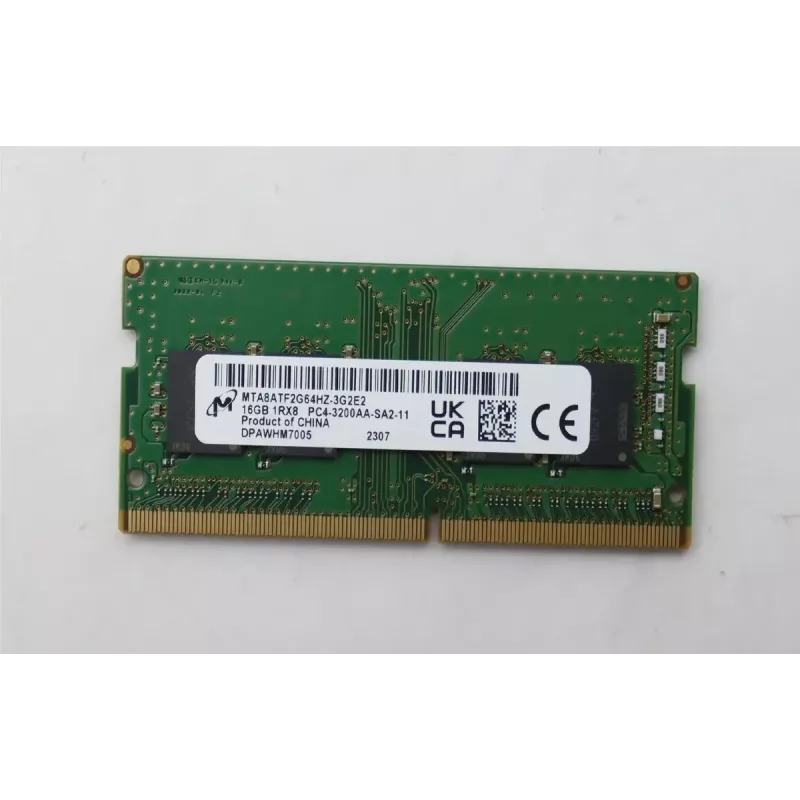
Modulo di memoria Lenovo DDR4 SoDIMM 16 GB 3200 MHz

Modulo di memoria Lenovo DDR4 SoDIMM 16 GB 3200 MHz
229,49 €
The Lenovo DDR4 SoDIMM 16GB 3200MHz memory module provides increased system memory capacity and faster data transfer for laptops and small form-factor PCs. Designed for mobile and compact systems that accept DDR4 SO-DIMM modules, this 16GB module runs at 3200MHz to help improve multitasking, applica... Leggi di più
Stock EsauritoNon disponibile Codice 2573311 Marca LENOVO Modello 5M30Z71651 Garanzia 2 anni

Spedizioni e resi

The Lenovo DDR4 SoDIMM 16GB 3200MHz memory module provides increased system memory capacity and faster data transfer for laptops and small form-factor PCs. Designed for mobile and compact systems that accept DDR4 SO-DIMM modules, this 16GB module runs at 3200MHz to help improve multitasking, application load times, and overall system responsiveness without altering the device's physical footprint.

Advantages

This memory module offers higher bandwidth compared with lower-frequency DDR4 modules, enabling smoother multitasking and improved performance in memory-intensive tasks. The compact SO-DIMM form factor is suitable for space-constrained systems, and the 16GB capacity provides a meaningful boost for modern operating systems and applications. The module is engineered for stable operation under typical laptop workloads and supports automatic configuration through standard JEDEC timings.

Suitable for

  • Upgrading laptop memory to improve multitasking and responsiveness
  • Small form-factor desktop PCs and mini-PCs that use SO-DIMM sockets
  • Running productivity software, web browsing with many tabs, and light content creation
  • Replacing faulty or lower-capacity modules in compatible systems

Key specifications

  • Memory type: DDR4 SO-DIMM
  • Capacity: 16 GB
  • Effective clock speed: 3200 MHz
  • Form factor: 260-pin SO-DIMM (standard for laptop modules)
  • Voltage: standard DDR4 operating voltage
  • Latency: typical DDR4 JEDEC timings (auto-configured by system)

How to use

Power off the laptop or mini-PC and disconnect it from all power sources. Open the access panel or remove the keyboard as required by the device manufacturer to reach the SO-DIMM slot(s). If replacing an existing module, gently release the retaining clips and remove the old module, then align the notch and insert the new module at an angle until it seats, and press down until the clips lock. Reassemble the device and power it on; the system BIOS/UEFI should detect the new memory and set appropriate timings and frequency automatically. For dual-channel operation, install matching modules in the recommended slots according to the device manual.

Recommendations

Verify device compatibility with DDR4 SO-DIMM 3200MHz modules and check the maximum supported memory per slot and total system memory in the device documentation before installation. For optimal performance, use matched-capacity modules and consult the system BIOS/UEFI settings if manual configuration is required.

Punti salienti
  • Upgrading laptop memory to improve multitasking and responsiveness
  • Small form-factor desktop PCs and mini-PCs that use SO-DIMM sockets
  • Running productivity software, web browsing with many tabs, and light content creation
  • Replacing faulty or lower-capacity modules in compatible systems
  • Memory type: DDR4 SO-DIMM
  • Capacity: 16 GB
  • Effective clock speed: 3200 MHz
  • Form factor: 260-pin SO-DIMM (standard for laptop modules)
  • Voltage: standard DDR4 operating voltage
  • Latency: typical DDR4 JEDEC timings (auto-configured by system)
Specifiche
Marca
Lenovo
Memoria interna
16 GB
Modello
5M30Z71651
MPN
5M30Z71651
Lo storico prezzi non è ancora disponibile
Stiamo ancora raccogliendo dati giornalieri sufficienti sui prezzi per questo prodotto.

Prodotti più popolari in questa categoria

Ciao, sono l'assistente AI di DistriNode. Posso aiutarti a trovare prodotti, confrontare le opzioni, creare preventivi in PDF o aprire richieste di assistenza.