
Account Contatti
Il tuo carrello
Spedizione DPD & FedEx
Serve aiuto? Chiedi all'AI

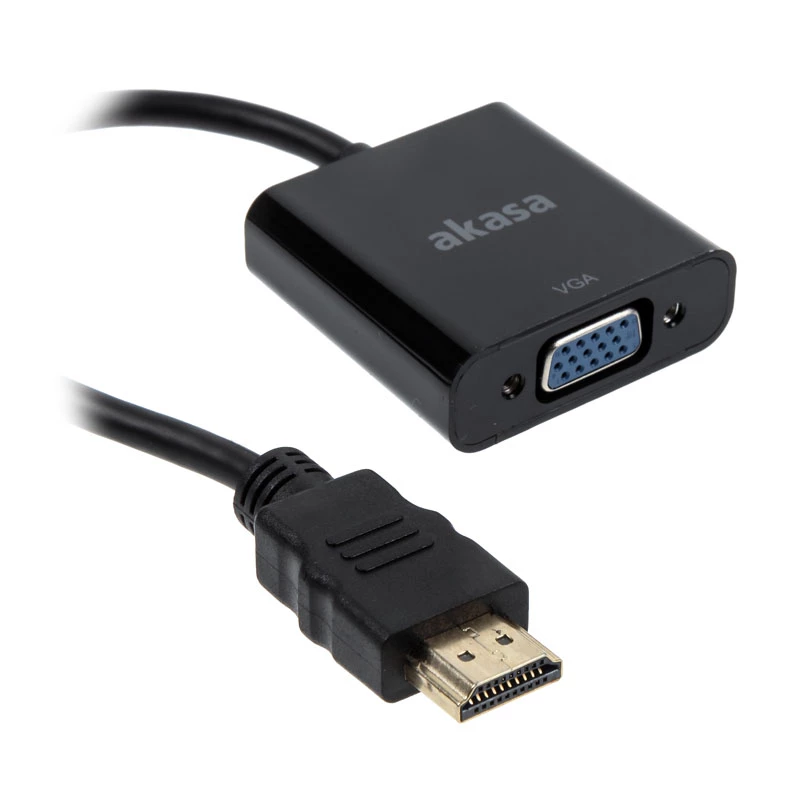
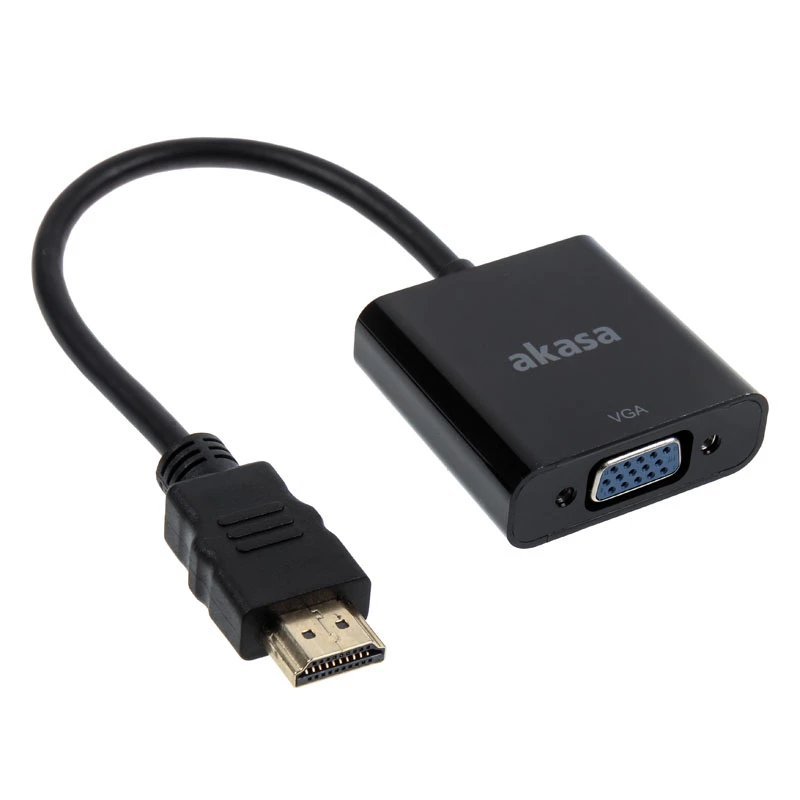
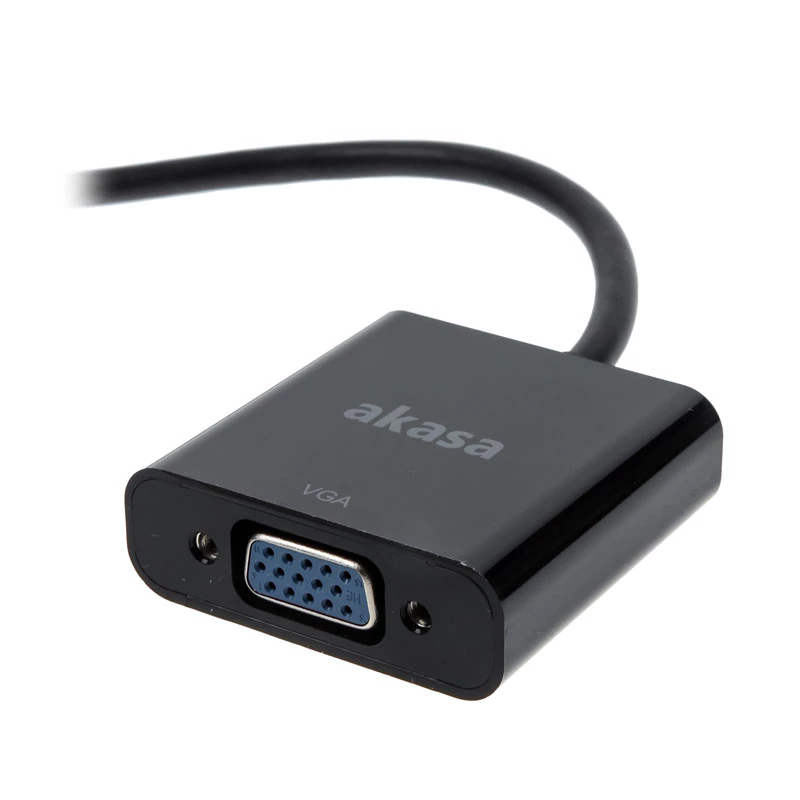
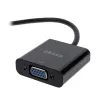
Adattatore per cavo video Akasa AK-CBHD15-20BK

Adattatore per cavo video Akasa AK-CBHD15-20BK
14,08 €
The Akasa AK-CBHD15-20BK is a 0.2 m video cable adapter that converts HDMI to VGA, allowing a device with an HDMI output to be connected to a VGA (D-Sub) display. The compact black adapter supports video transmission up to 1920 x 1200 and can be used for extended desktop or mirrored video output, pr... Leggi di più
Stock 1 Codice 309069 Marca AKASA Modello AK-CBHD15-20BK Garanzia 2 anni

Spedizioni e resi

Consegna stimata Venerdì, Ottobre 16
Ti terremo aggiornato tramite il nostro sistema di tracciamento dettagliato
Opzioni di pagamento
Carta di credito/debitoVisaMastercardPayPalApple PayGoogle PayBonifico bancario

The Akasa AK-CBHD15-20BK is a 0.2 m video cable adapter that converts HDMI to VGA, allowing a device with an HDMI output to be connected to a VGA (D-Sub) display. The compact black adapter supports video transmission up to 1920 x 1200 and can be used for extended desktop or mirrored video output, providing a simple way to link newer HDMI sources with older VGA monitors or projectors.

Advantages

This HDMI to VGA converter supports both extended desktop and video mirroring modes and delivers resolutions up to 1920 x 1200. Its short 0.2 m length and compact design make it convenient for clutter-free connections. The adapter is compatible with standard HDMI Type A outputs and VGA (D-Sub) inputs, offering a straightforward passive conversion for video signals.

Suitable for

  • Connecting modern HDMI laptops, media players or set-top boxes to older VGA monitors
  • Using projectors with VGA input from HDMI-equipped devices
  • Temporary desktop setups where a short cable is preferred

Key specifications

  • Product: Video cable adapter Akasa AK-CBHD15-20BK
  • Length: 0.2 m
  • Connector 1: VGA (D-Sub)
  • Connector 2: HDMI Type A (Standard)
  • Maximum supported resolution: up to 1920 x 1200
  • Colour: Black
  • Brand: Akasa, MPN: AK-CBHD15-20BK, EAN: 4710614537064

How to use

Connect the HDMI Type A end to the HDMI output of your source device and plug the VGA (D-Sub) end into the VGA input of the display or projector. Select the appropriate input on the display and configure the output mode on the source device for either mirrored or extended desktop. Ensure both devices are powered on before adjusting display settings.

Recommendations

For best results, use this adapter with devices that support the listed maximum resolution. If no image appears, check cable seating and display input selection; some setups may require an active converter if the HDMI source does not output an analog VGA signal.
Punti salienti
  • Connecting modern HDMI laptops, media players or set-top boxes to older VGA monitors
  • Using projectors with VGA input from HDMI-equipped devices
  • Temporary desktop setups where a short cable is preferred
  • Product: Video cable adapter Akasa AK-CBHD15-20BK
  • Length: 0.2 m
  • Connector 1: VGA (D-Sub)
  • Connector 2: HDMI Type A (Standard)
  • Maximum supported resolution: up to 1920 x 1200
  • Colour: Black
  • Brand: Akasa, MPN: AK-CBHD15-20BK, EAN: 4710614537064
Specifiche
Colore del cavo
Black
Colore del prodotto
Black
Connettore 1
VGA (D-Sub)
Connettore 1 maschio/femmina
Male
Connettore 2
HDMI Type A (Standard)
Connettore 2 maschio/femmina
Female
Lunghezza del cavo
0.2 m
Quantità per confezione
1 pc(s)
Storico prezzi degli ultimi 6 mesi
Adattatore per cavo video Akasa AK-CBHD15-20BK
Attuale
14,08 €
Minimo
13,54 €
Massimo
14,16 €
Variazione 24 h
+0,28 €   +2%
Settimana
+0,31 €   +2%
Mese
+0,33 €   +2%

Prodotti più popolari in questa categoria

Ciao, sono l'assistente AI di DistriNode. Posso aiutarti a trovare prodotti, confrontare le opzioni, creare preventivi in PDF o aprire richieste di assistenza.