
Account Contatti
Il tuo carrello
Spedizione DPD & FedEx
Serve aiuto? Chiedi all'AI

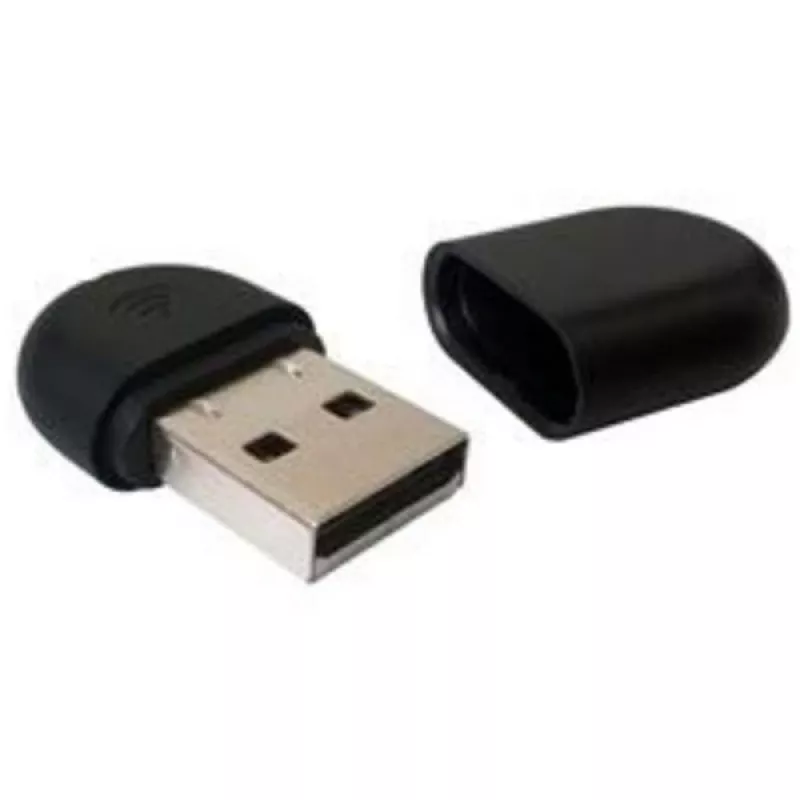
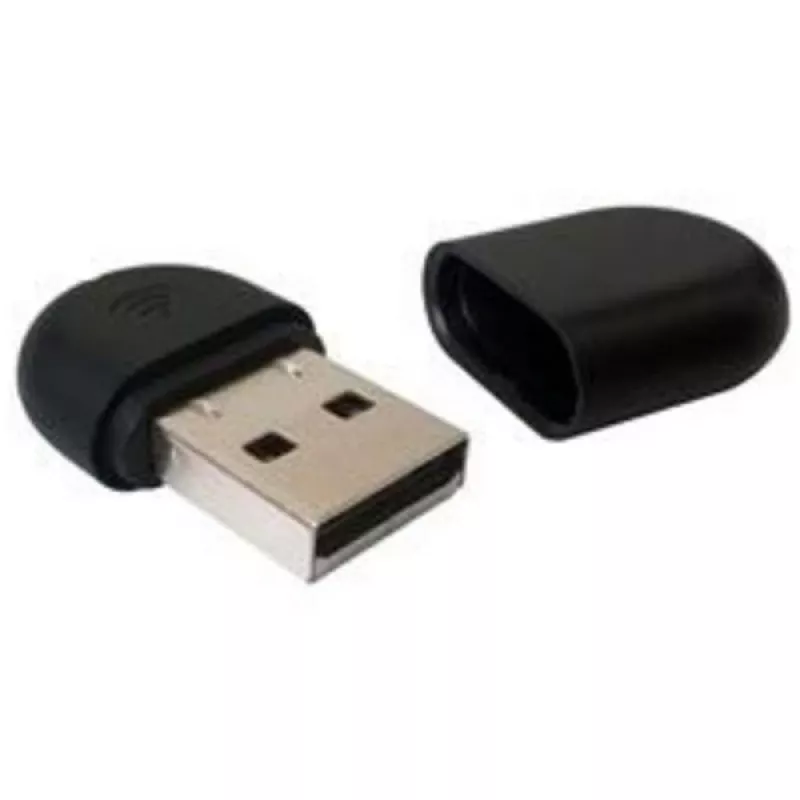
Adattatore wireless Yealink WF40 150 Mbit/s USB WLAN Wi-Fi 4

Adattatore wireless Yealink WF40 150 Mbit/s USB WLAN Wi-Fi 4
65,20 €
The Yealink WF40 Wi‑Fi USB Dongle is a compact wireless adapter that connects via USB and provides Wi‑Fi 4 (IEEE 802.11n) connectivity with a maximum data rate of 150 Mbit/s. Designed for office environments, the WF40 enables IP phones and other USB‑equipped devices to join existing wireless network... Leggi di più
Stock 38 Codice 1207245 Marca Yealink Modello 1300060 Garanzia 2 anni

Spedizioni e resi

Consegna stimata Giovedì, Ottobre 22
Ti terremo aggiornato tramite il nostro sistema di tracciamento dettagliato
Opzioni di pagamento
Carta di credito/debitoVisaMastercardPayPalApple PayGoogle PayBonifico bancario

The Yealink WF40 Wi‑Fi USB Dongle is a compact wireless adapter that connects via USB and provides Wi‑Fi 4 (IEEE 802.11n) connectivity with a maximum data rate of 150 Mbit/s. Designed for office environments, the WF40 enables IP phones and other USB‑equipped devices to join existing wireless networks quickly and with minimal setup.

Advantages

The WF40 offers a small form factor, low power consumption and plug‑and‑play operation, allowing fast deployment without complex configuration. Compliance with IEEE 802.11b/g/n standards ensures broad compatibility and stable throughput, while the 150 Mbit/s transmission rate supports typical voice and data office tasks.

Suitable for

  • Connecting IP phones to wireless networks
  • Adding WLAN capability to USB devices in small offices
  • Environments requiring simple, low‑power wireless adapters

Key specifications

  • Brand: Yealink
  • Model: WF40 (MPN: USB WF40)
  • Interface: USB
  • Standards: IEEE 802.11b / 802.11g / 802.11n (Wi‑Fi 4)
  • Maximum data rate: 150 Mbit/s
  • Colour: Black
  • Connectivity technology: Wireless (WLAN)

How to use

Plug the Yealink WF40 into an available USB port on the target device and allow the host system to detect the adapter. For most modern systems the device will install and operate in plug‑and‑play mode. Use the host device’s network settings to select the local Wi‑Fi network and enter credentials as required. After connection, verify network quality and check that voice or data services operate as expected.

Recommendations

Place the WF40 in a USB port with unobstructed line of sight to the access point where possible, and avoid placing it near large metal objects or other strong RF sources to maximize signal strength and throughput.
Punti salienti
  • Reliable Connection
  • Ease-of-use
  • Plug and Play
  • High Transmission Rate
  • Lower Power Consumption
  • Wireless
  • USB 2.0 WLAN
  • 150 Mbit/s
  • Wi-Fi
  • Component for: IP Phone
Specifiche
Algoritmi di sicurezza
64-bit WEP, 128-bit WEP, 152-bit WEP, WPA2-PSK
Altezza
8 mm
Codice Sistema Armonizzato (HS)
85176990
Colore del prodotto
Black
Componente per
IP Phone
Interfaccia
WLAN
Interfaccia host
USB
Interno
No
Larghezza
18 mm
Larghezza di banda (prima)
2.4 GHz
Larghezza nastro
2.4 GHz
Profondità
26.9 mm
Standard di rete
IEEE 802.11b, IEEE 802.11g, IEEE 802.11n
Standard Wi-Fi
802.11b, 802.11g, Wi-Fi 4 (802.11n)
Standard Wi-Fi massimo supportato
Wi-Fi 4 (802.11n)
Tecnologia di connettività
Wireless
Temperatura di esercizio (T-T)
0 - 50 °C
Temperatura di stoccaggio (T-T)
-40 - 85 °C
Velocità di trasferimento dati WLAN supportate
150 Mbit/s
Velocità massima di trasferimento dati
150 Mbit/s
Versione USB
2.0
Wi-Fi
Yes

Brochure

Apri documento
Storico prezzi degli ultimi 6 mesi
Adattatore wireless Yealink WF40 150 Mbit/s USB WLAN Wi-Fi 4
Attuale
65,20 €
Minimo
37,17 €
Massimo
90,46 €
Variazione 24 h
+0,46 €   +1%
Settimana
-0,09 €   0%
Mese
+9,97 €   +18%

Prodotti più popolari in questa categoria

Ciao, sono l'assistente AI di DistriNode. Posso aiutarti a trovare prodotti, confrontare le opzioni, creare preventivi in PDF o aprire richieste di assistenza.