
Account Contatti
Il tuo carrello
Spedizione DPD & FedEx
Serve aiuto? Chiedi all'AI

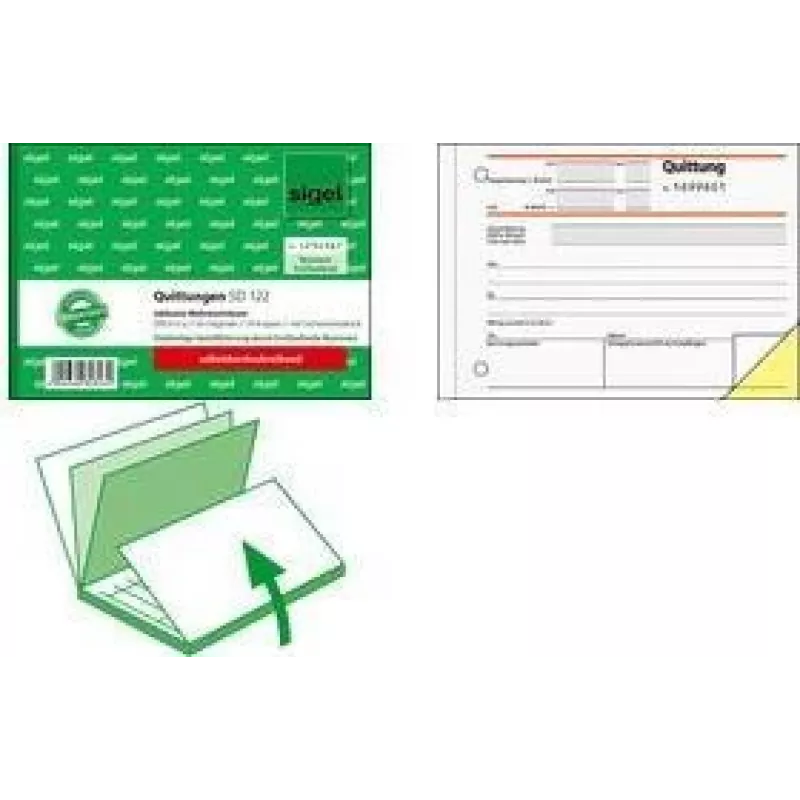
Blocco ricevute Sigel SD122 A6 orizzontale con layout conforme all'IVA

Blocco ricevute Sigel SD122 A6 orizzontale con layout conforme all'IVA
19,12 €
Sigel SD122 A6 landscape receipt book is a compact, paper-based solution for issuing VAT-inclusive receipts on the spot. The booklet contains preprinted fields for seller and buyer information, itemised transaction lines and VAT breakdowns, arranged in a landscape A6 format that fits easily into a p... Leggi di più
Stock EsauritoNon disponibile Codice 2198738 Marca SIGEL Modello SD122 Garanzia 2 anni

Spedizioni e resi

Sigel SD122 A6 landscape receipt book is a compact, paper-based solution for issuing VAT-inclusive receipts on the spot. The booklet contains preprinted fields for seller and buyer information, itemised transaction lines and VAT breakdowns, arranged in a landscape A6 format that fits easily into a pocket, apron or glove compartment. Designed for small businesses, market stalls, mobile services and on-site sales, this receipt book helps keep paper records organised where electronic systems are not available or practical.

Advantages

The landscape A6 layout provides a clear, horizontal arrangement of transaction fields that simplifies entry and improves legibility. Preprinted VAT-ready sections reduce calculation errors and ensure consistent documentation of tax amounts. The compact booklet is portable and easy to store, while multiple duplicate or copy pages allow both seller and buyer to retain records. The printed structure supports fast, routine issuance of receipts during busy trading situations.

Suitable for

  • Small retailers and kiosks issuing single-sale receipts
  • Market stalls and pop-up shops requiring portable documentation
  • Mobile service providers such as repair or delivery personnel
  • On-site sales and events where electronic receipts are unavailable

Key specifications

  • Format: A6 landscape for horizontal entry
  • Layout: Preprinted fields for items, totals and VAT breakdown
  • Page type: Receipt booklet with sequential pages suitable for duplicate/copy use
  • Size: Compact dimensions that fit into small storage spaces and pockets
  • Usage: Designed for manual handwriting of entries and calculations

How to use

Open the receipt book to the next unused page, fill in the date, seller details and buyer information where required, then enter item descriptions, quantities, unit prices and subtotals in the provided fields. Complete the VAT breakdown section according to the applicable tax rate, calculate the total amount payable and sign or stamp the receipt if necessary. Tear out the completed receipt along the perforation and provide the buyer with the customer copy while retaining the seller copy within the booklet for record keeping.

Recommendations

Store the receipt book in a dry place and keep it flat to preserve perforations and printed fields. Use a ballpoint pen for clear, permanent entries and keep sequential numbering or date references to simplify later reconciliation for VAT reporting.

Punti salienti
  • Small retailers and kiosks issuing single-sale receipts
  • Market stalls and pop-up shops requiring portable documentation
  • Mobile service providers such as repair or delivery personnel
  • On-site sales and events where electronic receipts are unavailable
  • Format: A6 landscape for horizontal entry
  • Layout: Preprinted fields for items, totals and VAT breakdown
  • Page type: Receipt booklet with sequential pages suitable for duplicate/copy use
  • Size: Compact dimensions that fit into small storage spaces and pockets
  • Usage: Designed for manual handwriting of entries and calculations
Specifiche
Peso
0.1 kg
Lo storico prezzi non è ancora disponibile
Stiamo ancora raccogliendo dati giornalieri sufficienti sui prezzi per questo prodotto.
Ciao, sono l'assistente AI di DistriNode. Posso aiutarti a trovare prodotti, confrontare le opzioni, creare preventivi in PDF o aprire richieste di assistenza.