
Account Contatti
Il tuo carrello
Spedizione DPD & FedEx
Serve aiuto? Chiedi all'AI

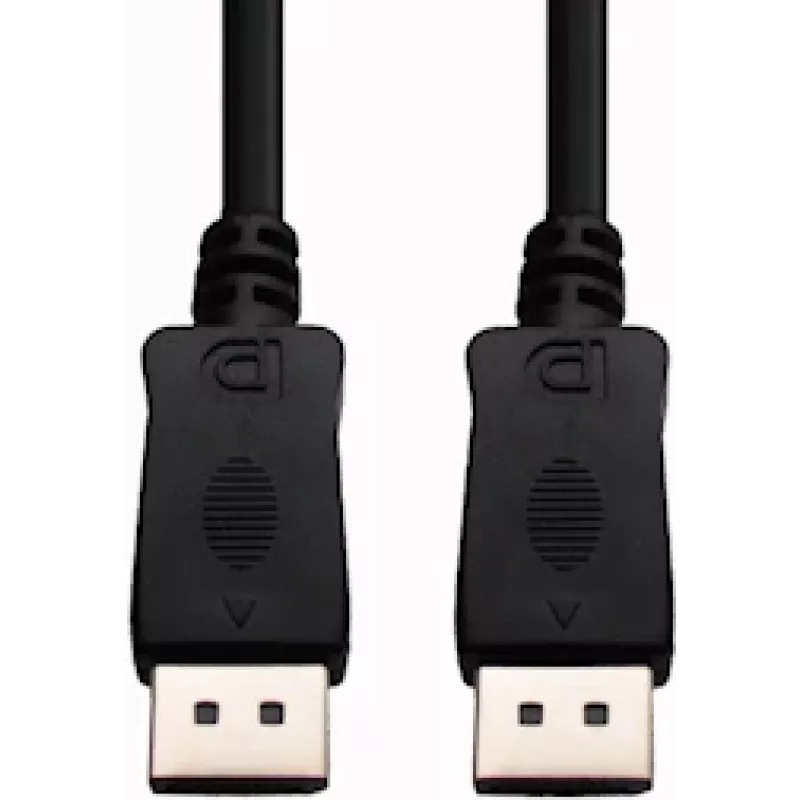
Cavo DisplayPort e+p DP 2 2m

Cavo DisplayPort e+p DP 2 2m
30,47 €
The e+p DP 2 DisplayPort cable, 2 meters in length, provides a straightforward wired connection between DisplayPort-equipped devices. With DisplayPort connectors on both ends, this cable supports transmission of high-quality digital video and audio signals. Packaged in a blister, the cable is intend... Leggi di più
Stock 6 Codice 2257386 Marca E+P Modello 1538000 Garanzia 2 anni

Spedizioni e resi

Consegna stimata Mercoledì, Ottobre 21
Ti terremo aggiornato tramite il nostro sistema di tracciamento dettagliato
Opzioni di pagamento
Carta di credito/debitoVisaMastercardPayPalApple PayGoogle PayBonifico bancario

The e+p DP 2 DisplayPort cable, 2 meters in length, provides a straightforward wired connection between DisplayPort-equipped devices. With DisplayPort connectors on both ends, this cable supports transmission of high-quality digital video and audio signals. Packaged in a blister, the cable is intended for single-user installation and offers a simple solution for connecting monitors, projectors, docking stations or graphics cards to compatible displays.

Advantages

The cable delivers a reliable physical connection with low signal loss for standard DisplayPort implementations. Its 2 m length allows flexible placement of devices without needing extenders. The matched DisplayPort connectors at each end ensure compatibility with devices that use the DisplayPort interface and allow combined audio and video transmission over a single cable.

Suitable for

  • Connecting a desktop GPU to a DisplayPort monitor
  • Linking a laptop docking station to an external display
  • Connecting a projector or conference-room display with DisplayPort input
  • Replacing a damaged or missing DisplayPort cable for home or office setups

Key specifications

  • Cable type: DisplayPort to DisplayPort
  • Length: 2 meters
  • Connectors: DisplayPort male on both ends
  • Signal type: Digital video and audio
  • Packaging: Blister pack containing one cable

How to use

Insert one DisplayPort connector into the DisplayPort output on the source device (for example a PC graphics card or docking station) and the other connector into the DisplayPort input on the target device (monitor or projector). Ensure connectors are fully seated and, if present, engage any latch mechanism to secure the connection. After connecting, select the appropriate input on the display and configure display settings in the operating system or graphics driver as needed.

Recommendations

For best results, route the cable to avoid tight bends and sharp kinks, and avoid running it alongside high-power mains cables to reduce potential interference. Check that both devices support the desired resolution and refresh rate over DisplayPort; if you experience display issues, try a different port on the source device or update the graphics driver.

Punti salienti
  • Connecting a desktop GPU to a DisplayPort monitor
  • Linking a laptop docking station to an external display
  • Connecting a projector or conference-room display with DisplayPort input
  • Replacing a damaged or missing DisplayPort cable for home or office setups
  • Cable type: DisplayPort to DisplayPort
  • Length: 2 meters
  • Connectors: DisplayPort male on both ends
  • Signal type: Digital video and audio
  • Packaging: Blister pack containing one cable
Specifiche
Colore del prodotto
Black
Connettore 1
DisplayPort
Connettore 1 maschio/femmina
Male
Connettore 2
DisplayPort
Connettore 2 maschio/femmina
Male
Lunghezza del cavo
2 m
Placcatura dei contatti del connettore
Gold
Quantità per confezione
1 pc(s)
Tipo di imballaggio
Blister
Storico prezzi degli ultimi 6 mesi
Cavo DisplayPort e+p DP 2 2m
Attuale
30,47 €
Minimo
26,54 €
Massimo
30,47 €
Variazione 24 h
+0,55 €   +2%
Settimana
+3,83 €   +14%
Mese
—   

Prodotti più popolari in questa categoria

Ciao, sono l'assistente AI di DistriNode. Posso aiutarti a trovare prodotti, confrontare le opzioni, creare preventivi in PDF o aprire richieste di assistenza.