
Account Contatti
Il tuo carrello
Spedizione DPD & FedEx
Serve aiuto? Chiedi all'AI

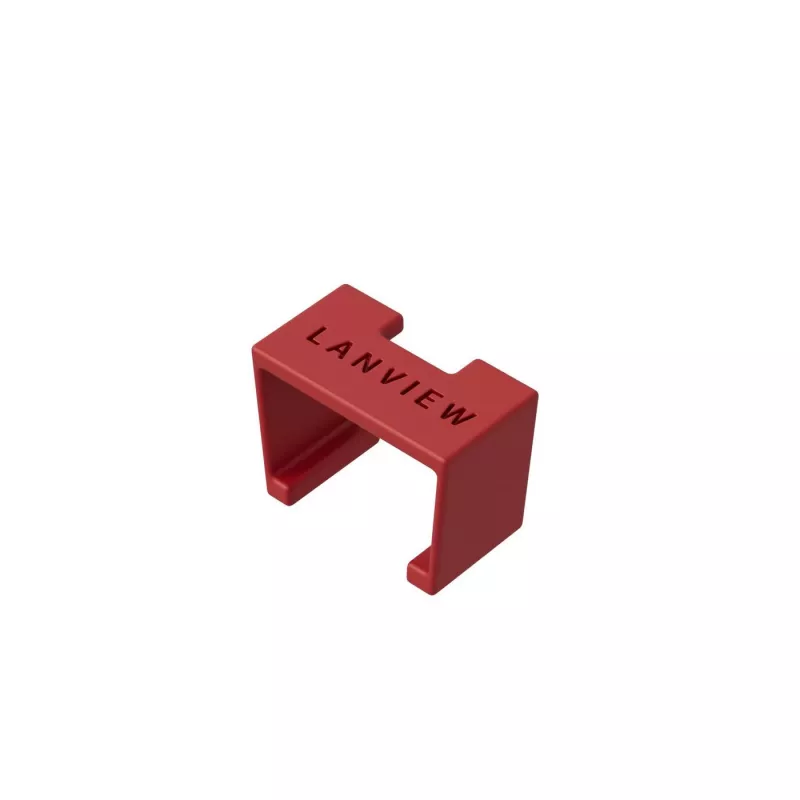
Clip per codifica a colori Lanview LVT-SC-R rosso plastica 10 mm 20 pz.

Clip per codifica a colori Lanview LVT-SC-R rosso plastica 10 mm 20 pz.
27,03 €
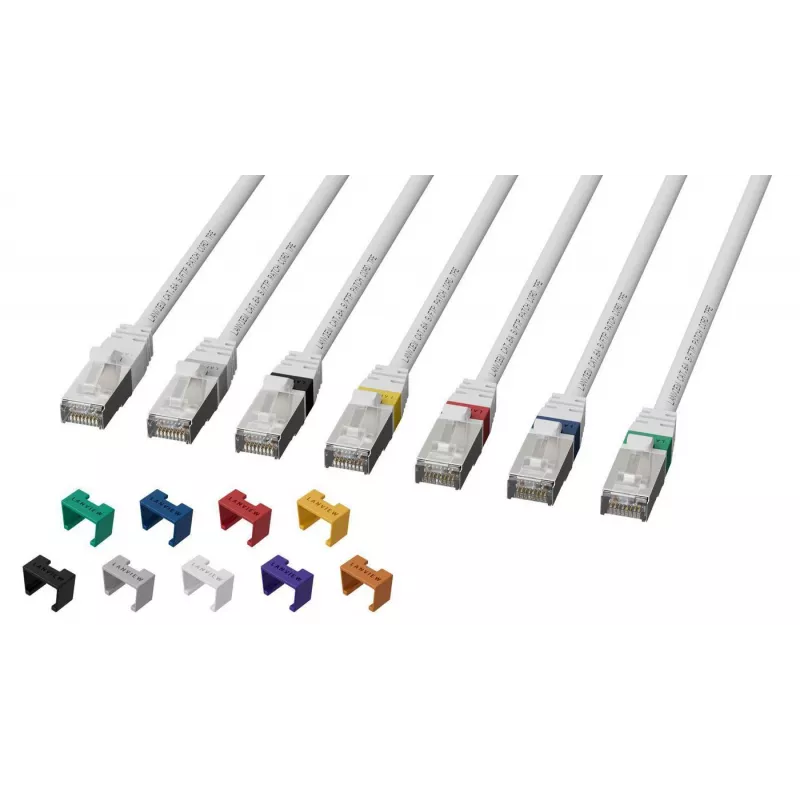
The Lanview LVT-SC-R is a red plastic colour coding clip designed to attach to Lanview HIGH-FLEX CAT6a cables. Each pack contains 20 clips sized 10 mm wide, 5 mm deep and 5 mm high, allowing installers to mark and identify cables without buying differently coloured cable runs. SmartClicks snap on ea... Leggi di più
Stock 108 Codice 1182760 Marca LANVIEW Modello LVT-SC-R Garanzia 2 anni

Spedizioni e resi

Consegna stimata Venerdì, Ottobre 23
Ti terremo aggiornato tramite il nostro sistema di tracciamento dettagliato
Opzioni di pagamento
Carta di credito/debitoVisaMastercardPayPalApple PayGoogle PayBonifico bancario

The Lanview LVT-SC-R is a red plastic colour coding clip designed to attach to Lanview HIGH-FLEX CAT6a cables. Each pack contains 20 clips sized 10 mm wide, 5 mm deep and 5 mm high, allowing installers to mark and identify cables without buying differently coloured cable runs. SmartClicks snap on easily and provide a quick visual way to organise cabling in installations and equipment racks.

Advantages

These Lanview colour coding clips offer a simple snap-on solution for cable identification, saving time and reducing the need to stock multiple cable colours. The clips are compact and lightweight, fit the specified HIGH-FLEX CAT6a cable profile, and come in a pack of 20 to support multiple termination points or patches. Using clips keeps cable runs uniform while enabling clear visual differentiation by colour.

Suitable for

  • Network installers marking Cat6a patch cords and jumper leads
  • Data centres and server rooms for rack and cabinet cable identification
  • Office and building cabling where quick visual differentiation is required

Key specifications

  • Brand: Lanview
  • Manufacturer part number (MPN): LVT-SC-R
  • EAN: 5715063276013
  • Colour: Red
  • Material: Plastic
  • Pack quantity: 20 pieces
  • Dimensions (W×D×H): 10 mm × 5 mm × 5 mm

How to use

Align the SmartClicks clip with the jacket of a Lanview HIGH-FLEX CAT6a cable and press until it snaps into place. Ensure the clip fully engages around the cable jacket so the colour marker remains secure during handling and routing. To remove, gently pry the clip open and slide it off the cable. Reuse as needed on other compatible cables.

Recommendations

Use the clips on matching Lanview HIGH-FLEX CAT6a cables for optimal fit. Store spare clips in their original pack to avoid loss and select colours according to a simple labelling scheme (for example: red = critical, blue = voice, green = management) to maintain consistent identification across installations.
Punti salienti
  • Network installers marking Cat6a patch cords and jumper leads
  • Data centres and server rooms for rack and cabinet cable identification
  • Office and building cabling where quick visual differentiation is required
  • Brand: Lanview
  • Manufacturer part number (MPN): LVT-SC-R
  • EAN: 5715063276013
  • Colour: Red
  • Material: Plastic
  • Pack quantity: 20 pieces
  • Dimensions (W×D×H): 10 mm × 5 mm × 5 mm
Specifiche
Altezza
5 mm
Colore del prodotto
Red
Larghezza
10 mm
Materiale
Plastic
Peso
0.01 g
Peso confezione
0.02 g
Profondità
5 mm
Quantità per confezione
20 pc(s)
Standard del cavo
Cat6a
Tipo di prodotto
Colour coding clip

Brochure

Apri documento

Documento

Apri documento
Storico prezzi degli ultimi 6 mesi
Clip per codifica a colori Lanview LVT-SC-R rosso plastica 10 mm 20 pz.
Attuale
27,03 €
Minimo
5,37 €
Massimo
27,03 €
Variazione 24 h
+0,55 €   +2%
Settimana
+0,60 €   +2%
Mese
+21,66 €   +403%

Prodotti più popolari in questa categoria

Ciao, sono l'assistente AI di DistriNode. Posso aiutarti a trovare prodotti, confrontare le opzioni, creare preventivi in PDF o aprire richieste di assistenza.