
Account Contatti
Il tuo carrello
Spedizione DPD & FedEx
Serve aiuto? Chiedi all'AI

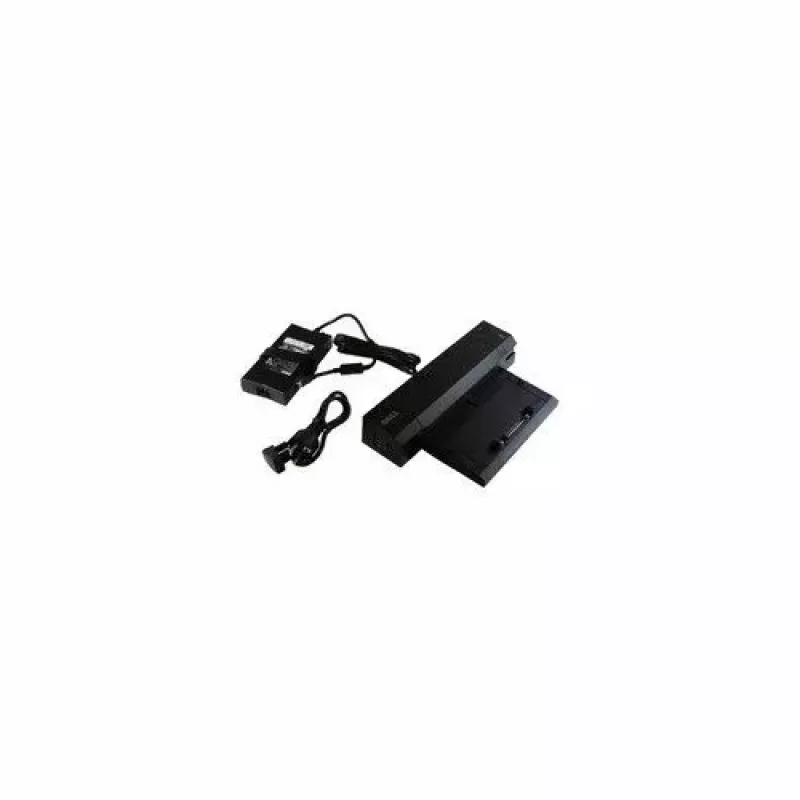
Docking station Dell E-Port Replicator Advanced CY640 — soluzione di docking per laptop con più connessioni

Docking station Dell E-Port Replicator Advanced CY640 — soluzione di docking per laptop con più connessioni
224,01 €
The Dell E-Port Replicator Advanced CY640 is a docking station designed to expand connectivity for compatible Dell notebooks and create a desktop-style workspace from a laptop. It centralizes connections for peripherals, external monitors, wired networking and power through a single docking interfac... Leggi di più
Stock EsauritoNon disponibile Codice 2573418 Marca DELL Modello CY640 Garanzia 2 anni

Spedizioni e resi

The Dell E-Port Replicator Advanced CY640 is a docking station designed to expand connectivity for compatible Dell notebooks and create a desktop-style workspace from a laptop. It centralizes connections for peripherals, external monitors, wired networking and power through a single docking interface, enabling quick docking and undocking while maintaining cable organization. The unit is intended for users who need a reliable hub to support multiple devices and displays at a fixed workstation.

Advantages

The docking station offers a variety of ports to reduce the need for multiple adapters and cables, provides power pass-through to charge connected laptops, and supports attaching external monitors for larger or multi-screen setups. Its one-connection docking procedure simplifies daily transitions between mobile and desktop use and keeps a consistent set of connected peripherals such as keyboard, mouse, and external storage.

Suitable for

  • Office workstations that require fast connection to peripherals and wired network
  • Home offices where a laptop is used as a primary computer with external monitor(s)
  • Environments needing frequent docking/undocking for mobile professionals
  • Users who want to connect multiple USB devices, external displays, and Ethernet through one hub

Key specifications

  • Multiple video outputs for external monitor support, allowing single or dual display configurations
  • Integrated power delivery to charge compatible notebooks while docked
  • Wired network port for Gigabit Ethernet connectivity
  • Several USB ports for peripherals and external storage devices
  • Audio in/out connectors for headsets or external speakers
  • Compact footprint designed to sit on a desk and align with compatible laptop docking connectors

How to use

Align the laptop with the docking connector on the Dell E-Port Replicator Advanced and slide it into place until it engages securely. Connect required external devices — monitors to the available video outputs, keyboard and mouse to USB ports, and a network cable to the Ethernet port. Attach the docking station to a mains power source to enable laptop charging and full functionality of powered ports. To undock, close running applications if necessary and release the laptop from the dock following the laptop manufacturer's undocking procedure.

Recommendations

Ensure your laptop model is listed as compatible with the docking interface before use. Use appropriate monitor cables and adapters that match the docking station's video outputs and the monitor inputs. Place the docking station on a stable surface and maintain ventilation around the unit; avoid obstructing connectors and do not expose the dock to liquids or extreme temperatures.

Punti salienti
  • Dual Digital Monitor capabilities along with legacy ports.
  • Supports hot docking and undocking.
  • Pre- & Post-Sale UK Based Tech Support.
  • Office workstations that require fast connection to peripherals and wired network
  • Docking
  • Home offices where a laptop is used as a primary computer with external monitor(s)
  • Host interface: Dock
  • Environments needing frequent docking/undocking for mobile professionals
  • Ethernet LAN
  • Users who want to connect multiple USB devices, external displays, and Ethernet through one hub
  • Multiple video outputs for external monitor support, allowing single or dual display configurations
  • Integrated power delivery to charge compatible notebooks while docked
  • Wired network port for Gigabit Ethernet connectivity
  • Several USB ports for peripherals and external storage devices
  • Audio in/out connectors for headsets or external speakers
  • Compact footprint designed to sit on a desk and align with compatible laptop docking connectors
Specifiche
Colore del prodotto
Black
Ethernet LAN
Yes
Ingresso microfono
No
Interfaccia host
Dock
Lettore di schede integrato
No
Numero di porte USB 3.2 Gen 1 (3.1 Gen 1) Type-A
2
Supporto 10G
No
Tecnologia di connettività
Docking

Brochure

Apri documento
Lo storico prezzi non è ancora disponibile
Stiamo ancora raccogliendo dati giornalieri sufficienti sui prezzi per questo prodotto.

Prodotti più popolari in questa categoria

Ciao, sono l'assistente AI di DistriNode. Posso aiutarti a trovare prodotti, confrontare le opzioni, creare preventivi in PDF o aprire richieste di assistenza.