
Account Contatti
Il tuo carrello
Spedizione DPD & FedEx
Serve aiuto? Chiedi all'AI

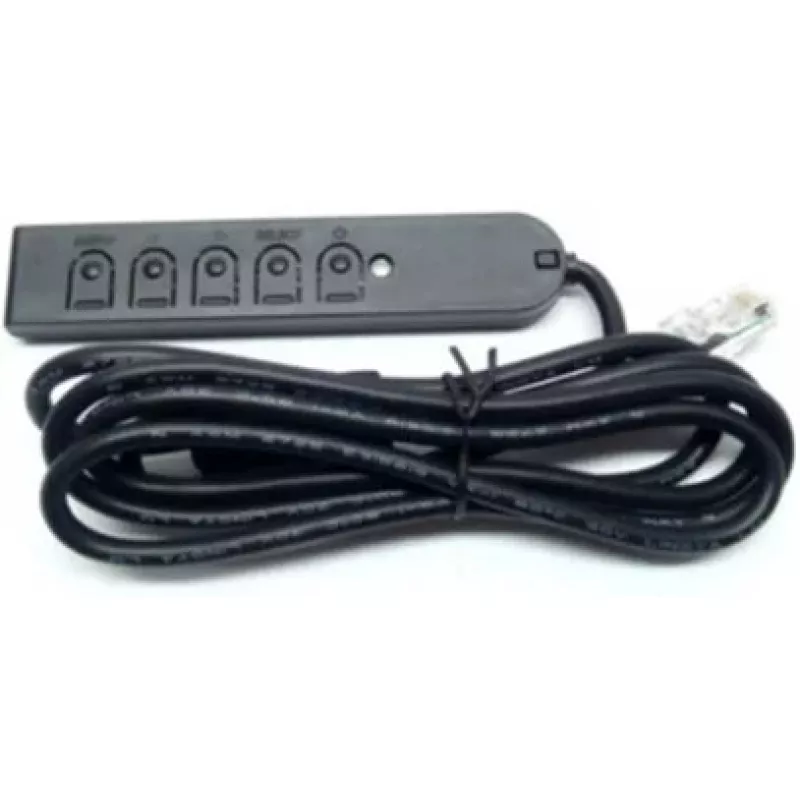
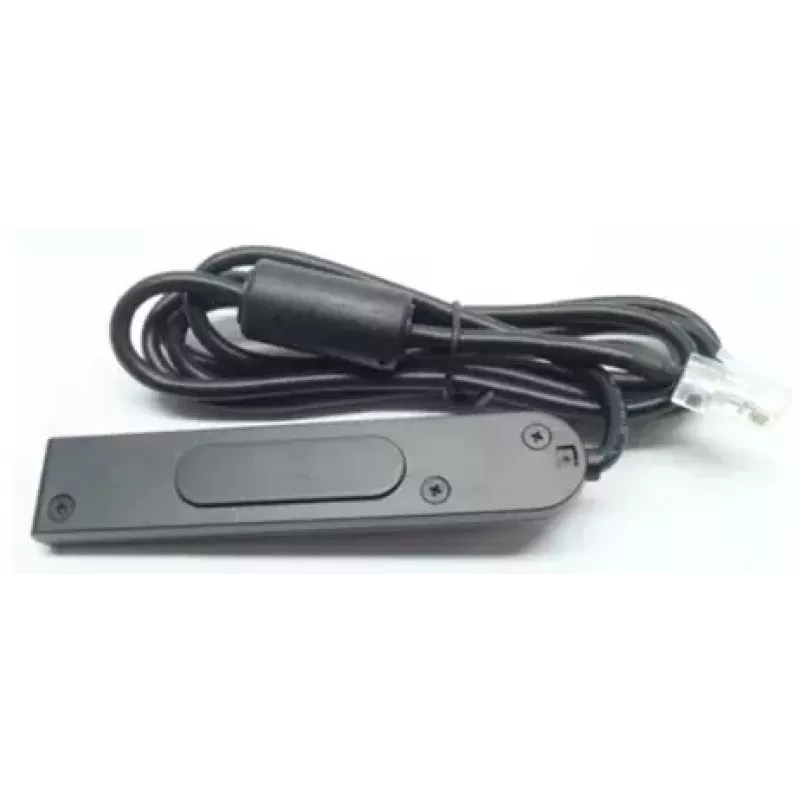
Telecomando cablato Elo Touch Solutions E483757

Telecomando cablato Elo Touch Solutions E483757
39,73 €
The Wired Remote Control Elo Touch Solutions E483757 is a wired On-Screen Display (OSD) controller designed for select Elo touchmonitors. It provides a simple, press-button interface for adjusting monitor settings and navigating OSD menus. The controller connects directly to compatible Elo monitors ... Leggi di più
Disponibilità 2 Codice 2525731 Marca ELO TOUCH SOLUTIONS Modello E483757 Garanzia 2 anni

Spedizioni e resi

Consegna stimata Martedì, Ottobre 13
Ti terremo aggiornato tramite il nostro sistema di tracciamento dettagliato
Opzioni di pagamento
Carta di credito/debitoVisaMastercardPayPalApple PayGoogle PayBonifico bancario

The Wired Remote Control Elo Touch Solutions E483757 is a wired On-Screen Display (OSD) controller designed for select Elo touchmonitors. It provides a simple, press-button interface for adjusting monitor settings and navigating OSD menus. The controller connects directly to compatible Elo monitors to offer consistent responsiveness and reliable operation without wireless interference.

Advantages

This wired controller delivers dependable performance through a physical connection that minimizes signal loss and lag. Its press-button design offers intuitive, tactile feedback for precise menu navigation and setting adjustments. Because it is built specifically for compatible Elo touchmonitors, the controller integrates with monitor OSD functions for straightforward control of display parameters.

Suitable for

Key specifications

How to use

Connect the remote control to the designated port on a compatible Elo touchmonitor as described in the monitor's user manual. Use the press buttons to open and navigate the monitor's on-screen display, then adjust parameters such as brightness, contrast, input selection, and other available settings. Follow on-screen prompts to confirm changes. Disconnect the controller before performing any monitor firmware updates or servicing as advised by Elo documentation.

Recommendations

For optimal performance, use the controller with monitors listed as compatible by Elo TouchSolutions. Keep the cable routed to prevent strain on the connector, and operate the buttons with gentle, purposeful presses to prolong the device's lifespan.

Punti salienti
  • Retail point-of-sale terminals using compatible Elo touchmonitors
  • Interactive kiosks and self-service stations requiring reliable display control
  • Touchscreen information displays in hospitality or public environments
  • Environments where wired peripherals are preferred to avoid wireless interference
  • Connection type: wired interface for direct monitor connectivity
  • Control method: press-button OSD control
  • Compatibility: designed for select Elo touchmonitors and Elo TouchSystems displays
  • Functionality: navigation of on-screen menus and adjustment of display settings
  • Form factor: compact handheld controller suitable for mounting or desktop use
Specifiche
Codice Sistema Armonizzato (HS)
85299097
Colore del prodotto
Black
Display integrato
No
Interfaccia
Wired
Marche compatibili
Elo TouchSystems
Numero di dispositivi supportati
1
Prodotti compatibili
Elo 1940L Open Frame Touch Screen Monitor Elo 3243L Open Frame Touch Screen Monitor Elo 3209L Touch Screen Monitor Elo 4343L Touch Screen Monitor Elo 2440L Touch Screen Monitor Elo 3201L IDS Touch Screen Monitor Elo 4201L IDS Touch Screen Monitor Elo 5501L IDS Touch Screen Monitor Elo 7001L IDS Touch Screen Monitor
Tipo di ingresso
Press buttons
Storico prezzi degli ultimi 6 mesi
Telecomando cablato Elo Touch Solutions E483757
Attuale
39,73 €
Minimo
38,72 €
Massimo
71,15 €
Variazione 24 h
+0,74 €   +2%
Settimana
+0,96 €   +2%
Mese
+0,85 €   +2%
Ciao, sono l'assistente AI di DistriNode. Posso aiutarti a trovare prodotti, confrontare le opzioni, creare preventivi in PDF o aprire richieste di assistenza.