
Account Contatti
Il tuo carrello
Spedizione DPD & FedEx
Serve aiuto? Chiedi all'AI

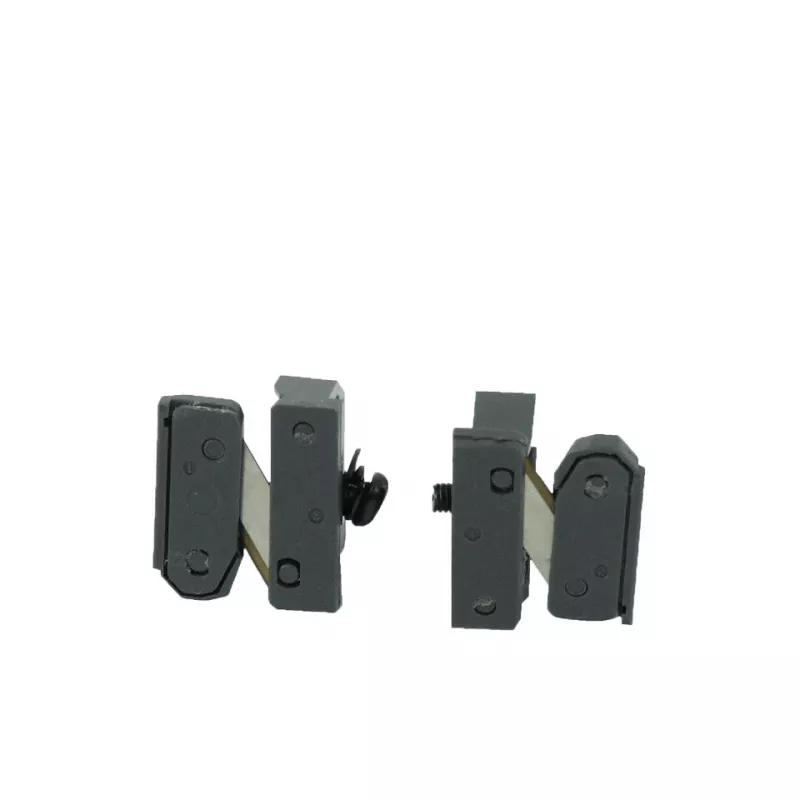
Kit per stampante Brother DK-BU99

Kit per stampante Brother DK-BU99
36 mesi
Kit per stampante Brother DK-BU99
15,78 €
The Brother DK-BU99 printer kit is an accessory pack designed for use with compatible Brother label printers. Each pack contains two units intended to provide additional labeling capacity for models QL-500, QL-550, and QL-650TD. The kit supports professional-quality printing to produce clear, legibl... Leggi di più
Stock 73 Codice 1413111 Marca BROTHER Modello DKBU99 Garanzia 3 anni

Spedizioni e resi

Consegna stimata Giovedì, Ottobre 15
Ti terremo aggiornato tramite il nostro sistema di tracciamento dettagliato
Opzioni di pagamento
Carta di credito/debitoVisaMastercardPayPalApple PayGoogle PayBonifico bancario

The Brother DK-BU99 printer kit is an accessory pack designed for use with compatible Brother label printers. Each pack contains two units intended to provide additional labeling capacity for models QL-500, QL-550, and QL-650TD. The kit supports professional-quality printing to produce clear, legible, and durable labels for a wide range of applications in home and office environments.

Advantages

This kit offers straightforward compatibility with the specified Brother QL series models, simplifying the replacement process and reducing downtime. With two pieces per pack, it increases the amount of printable material available without frequent reorders. The design focuses on reliable output quality and consistent feed, helping maintain crisp text and graphics on each label.

Suitable for

  • Address and shipping labels
  • File and folder identification
  • Product and inventory labeling
  • Office organization and asset tagging
  • Home organization and small business labeling

Key specifications

  • Compatibility: Designed for QL-500, QL-550, QL-650TD label printers
  • Pack contents: 2 pieces per pack to extend labeling capacity
  • Print quality: Optimized for clear, durable label output
  • Use environment: Suitable for home, office, and small business applications

How to use

Install the kit into the printer according to the printer manufacturer’s instructions for media replacement. Ensure the printer is powered off or in an idle state before inserting the new unit to avoid feed errors. After installation, run a test print to confirm alignment and print quality, and adjust printer settings if necessary for label size and print density.

Recommendations

Store unopened packs in a cool, dry place away from direct sunlight and high humidity to preserve label material quality. For best results, use the kit with the compatible Brother QL models specified and perform periodic maintenance on the printer to prevent jams and ensure consistent print output.

Punti salienti
  • Address and shipping labels
  • File and folder identification
  • Product and inventory labeling
  • Office organization and asset tagging
  • Home organization and small business labeling
  • Compatibility: Designed for QL-500, QL-550, QL-650TD label printers
  • Pack contents: 2 pieces per pack to extend labeling capacity
  • Print quality: Optimized for clear, durable label output
  • Use environment: Suitable for home, office, and small business applications
Specifiche
Altezza
30 mm
Altezza lorda pallet
14.2 cm
Cartoni esterni per pallet
80 pc(s)
Cartoni esterni per strato di pallet
8 pc(s)
Codice Sistema Armonizzato (HS)
84439990
Compatibilità
QL-500, QL-550, QL-650TD
Larghezza
30 mm
Paese di origine
China
Peso
490 g
Peso confezione
620 g
Peso lordo pallet
192.8 kg
Prodotti per pallet
8000 pc(s)
Profondità
100 mm
Quantità per confezione
2 pc(s)
Strati per pallet
10 pc(s)
Tipo di pallet
800 x 1200 mm

Brochure

Apri documento
Storico prezzi degli ultimi 6 mesi
Kit per stampante Brother DK-BU99
Attuale
15,78 €
Minimo
11,10 €
Massimo
20,59 €
Variazione 24 h
+0,45 €   +3%
Settimana
+0,56 €   +4%
Mese
+4,68 €   +42%
Ciao, sono l'assistente AI di DistriNode. Posso aiutarti a trovare prodotti, confrontare le opzioni, creare preventivi in PDF o aprire richieste di assistenza.