
Account Contatti
Il tuo carrello
Spedizione DPD & FedEx
Serve aiuto? Chiedi all'AI

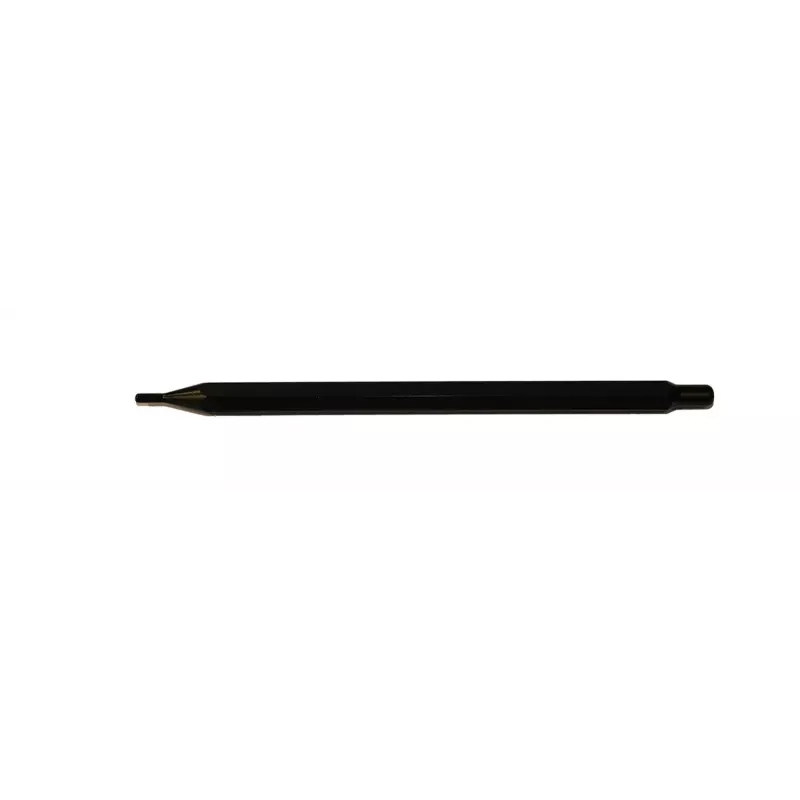
Penna stylus per display Avocor Stylus coppia G & W Series PEN-GWP

Penna stylus per display Avocor Stylus coppia G & W Series PEN-GWP
62,16 €
The Avocor Stylus Pair G & W Series PEN-GWP is a pair of passive styluses designed for precise input on compatible Avocor interactive displays. Lightweight and balanced, these styluses provide accurate point control for handwriting, drawing and annotation during presentations and collaborative sessi... Leggi di più
Stock 9 Codice 2577447 Marca AVOCOR Modello PEN-GWP Garanzia 2 anni

Spedizioni e resi

Consegna stimata Lunedì, Ottobre 19
Ti terremo aggiornato tramite il nostro sistema di tracciamento dettagliato
Opzioni di pagamento
Carta di credito/debitoVisaMastercardPayPalApple PayGoogle PayBonifico bancario

The Avocor Stylus Pair G & W Series PEN-GWP is a pair of passive styluses designed for precise input on compatible Avocor interactive displays. Lightweight and balanced, these styluses provide accurate point control for handwriting, drawing and annotation during presentations and collaborative sessions. The low-friction tip supports smooth strokes, enabling clear, legible marks and fine detail work without requiring batteries or pairing.

Advantages

These styluses deliver consistent responsiveness and precise tracking on touch-enabled surfaces, reducing parallax and improving the natural feel of pen-on-screen writing. Their ergonomic barrel and light weight make extended use comfortable, while the durable tips maintain performance over repeated use. Being passive, they require no charging, simplifying classroom and meeting-room workflows.

Suitable for

  • Interactive classroom teaching and student annotation
  • Business presentations and collaborative whiteboarding
  • Design sketching and quick markups during meetings
  • Remote and hybrid sessions where clear visual annotation is needed

Key specifications

  • Compatibility: designed for use with Avocor interactive touch displays in G and W series
  • Type: passive (no battery required)
  • Tip: low-friction fine tip for precise input
  • Quantity: sold as a pair for simultaneous multi-user or backup use
  • Weight: lightweight construction for comfortable extended use
  • Body: ergonomic barrel for stable grip and control

How to use

Hold the stylus as you would a regular pen and use gentle, controlled strokes to write or draw directly on the compatible interactive display surface. For best responsiveness, keep the tip clean and avoid applying excessive sideways force. When not in use, store the stylus pair in a secure holder or docking area near the display to prevent loss and to keep tips protected. No pairing or charging steps are required before use.

Recommendations

For optimal performance, use the styluses on Avocor displays recommended for G & W series accessories, clean the display surface regularly with a manufacturer-approved cleaner, and replace tips if wear affects precision.

Punti salienti
  • Interactive classroom teaching and student annotation
  • Business presentations and collaborative whiteboarding
  • Design sketching and quick markups during meetings
  • Remote and hybrid sessions where clear visual annotation is needed
  • Compatibility: designed for use with Avocor interactive touch displays in G and W series
  • Type: passive (no battery required)
  • Tip: low-friction fine tip for precise input
  • Quantity: sold as a pair for simultaneous multi-user or backup use
  • Weight: lightweight construction for comfortable extended use
  • Body: ergonomic barrel for stable grip and control
Storico prezzi degli ultimi 6 mesi
Penna stylus per display Avocor Stylus coppia G & W Series PEN-GWP
Attuale
62,16 €
Minimo
61,11 €
Massimo
80,41 €
Variazione 24 h
+0,97 €   +2%
Settimana
+0,87 €   +1%
Mese
+0,96 €   +2%

Prodotti più popolari in questa categoria

Ciao, sono l'assistente AI di DistriNode. Posso aiutarti a trovare prodotti, confrontare le opzioni, creare preventivi in PDF o aprire richieste di assistenza.