
Account Contatti
Il tuo carrello
Spedizione DPD & FedEx
Serve aiuto? Chiedi all'AI

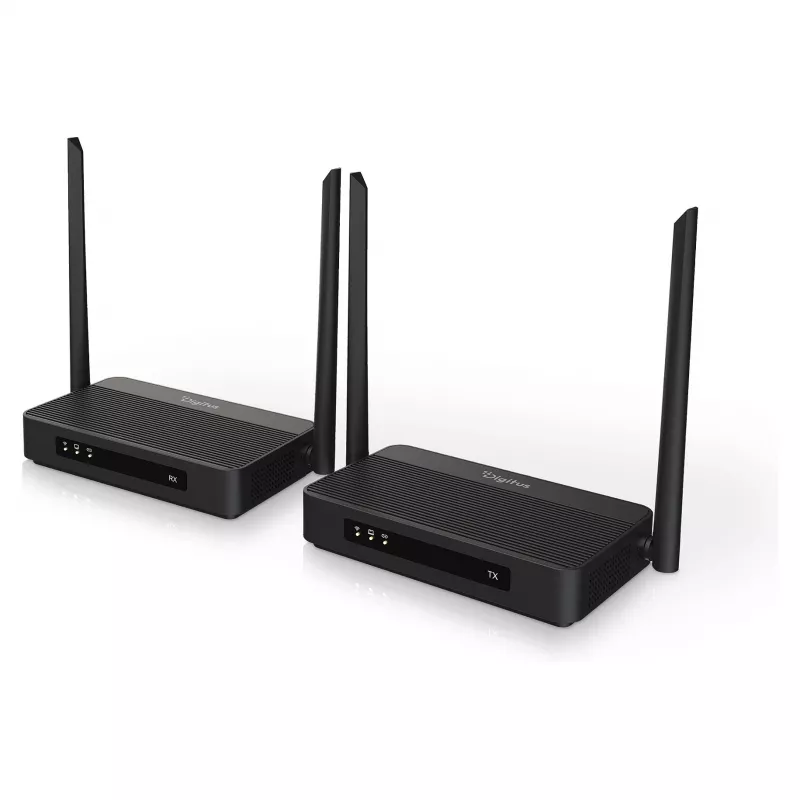
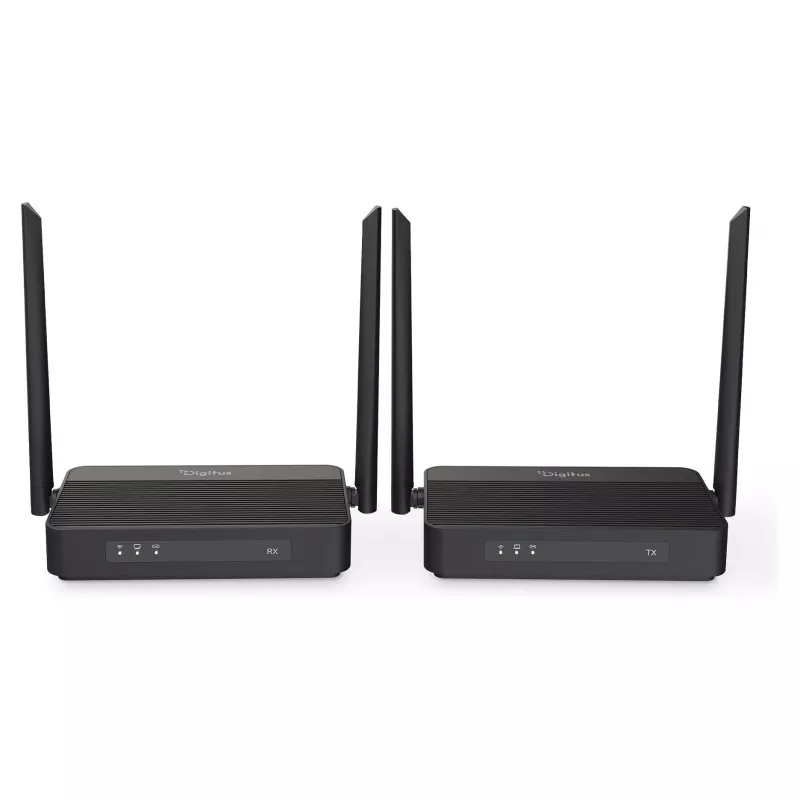
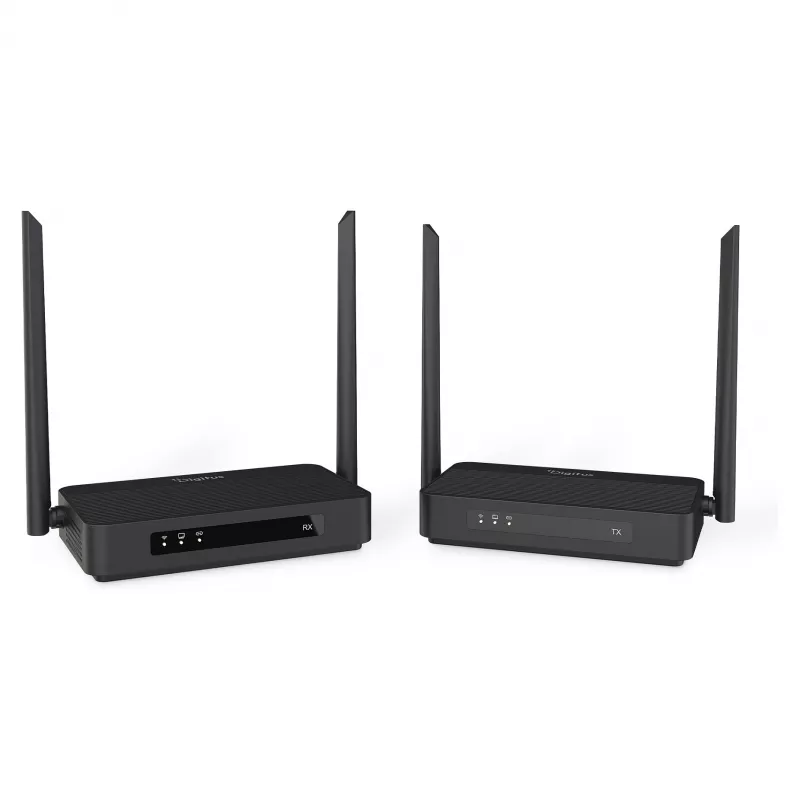
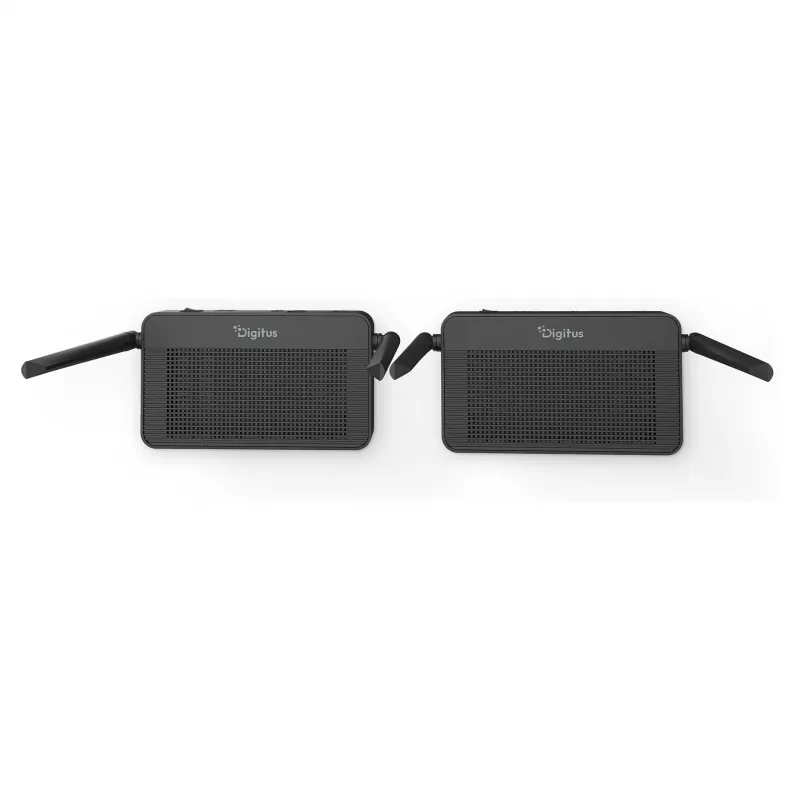
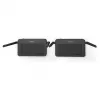
Set extender HDMI KVM wireless DIGITUS DS-55360 – trasmettitore e ricevitore, wireless, 100 m, 4K/60 Hz, HDMI, USB-A/USB-C

Set extender HDMI KVM wireless DIGITUS DS-55360 – trasmettitore e ricevitore, wireless, 100 m, 4K/60 Hz, HDMI, USB-A/USB-C
293,83 €
The DIGITUS DS-55360 wireless HDMI KVM extender set includes one transmitter (TX) and one receiver (RX) to extend HDMI video, audio and USB-based keyboard/mouse signals up to 100 m (unobstructed view). The system supports up to 4K UHD at 60 Hz via HDMI 2.0 with HDCP 2.2 and HDR10, and uses a proprie... Leggi di più
Stock 1 Codice 2350238 Marca DIGITUS Modello DS-55360 Garanzia 2 anni

Spedizioni e resi

Consegna stimata Venerdì, Ottobre 16
Ti terremo aggiornato tramite il nostro sistema di tracciamento dettagliato
Opzioni di pagamento
Carta di credito/debitoVisaMastercardPayPalApple PayGoogle PayBonifico bancario

The DIGITUS DS-55360 wireless HDMI KVM extender set includes one transmitter (TX) and one receiver (RX) to extend HDMI video, audio and USB-based keyboard/mouse signals up to 100 m (unobstructed view). The system supports up to 4K UHD at 60 Hz via HDMI 2.0 with HDCP 2.2 and HDR10, and uses a proprietary parallel processing codec architecture to deliver ultra-low latency (16–48 ms, average approx. 32 ms). The transmitter offers an HDMI loop-out for local monitoring while the receiver provides USB-A ports for KVM control and touch-panel back control. Connection is plug & play with automatic channel selection and AES 128-bit/WPA2 security for encrypted wireless transmission.

Advantages

The kit provides cable-free HDMI transmission in 4K/60Hz with low latency suitable for real‑time control. Built-in KVM functionality allows a keyboard, mouse or touch display to control the remote source from the receiver side without extra drivers. Automatic pairing and channel optimisation simplify setup, while the HDMI loop‑out on the transmitter enables local monitoring of the source. Security is supported by AES 128-bit encryption and WPA2 authentication, and bi‑directional IR extension lets you control either the source or display via remote control.

Suitable for

  • Conference rooms and meeting spaces where a source must be controlled remotely
  • Digital signage and retail displays with remote content control
  • AV installations demanding 4K/60Hz video without long HDMI cables
  • Workstations requiring remote KVM access and touch control
  • Temporary or flexible setups such as events, presentations and training

Key specifications

  • Wireless transmission range: up to 100 m (unobstructed view)
  • Supported resolution: up to 4K UHD (4096 x 2160) at 60 Hz
  • Latency: 16–48 ms (average approx. 32 ms)
  • HDMI version: HDMI 2.0; HDCP 2.2; HDR10 support
  • Wireless standard/frequency: IEEE 802.11 b/g/n/ac, 5 GHz band
  • Encryption/authentication: AES 128-bit; WPA2
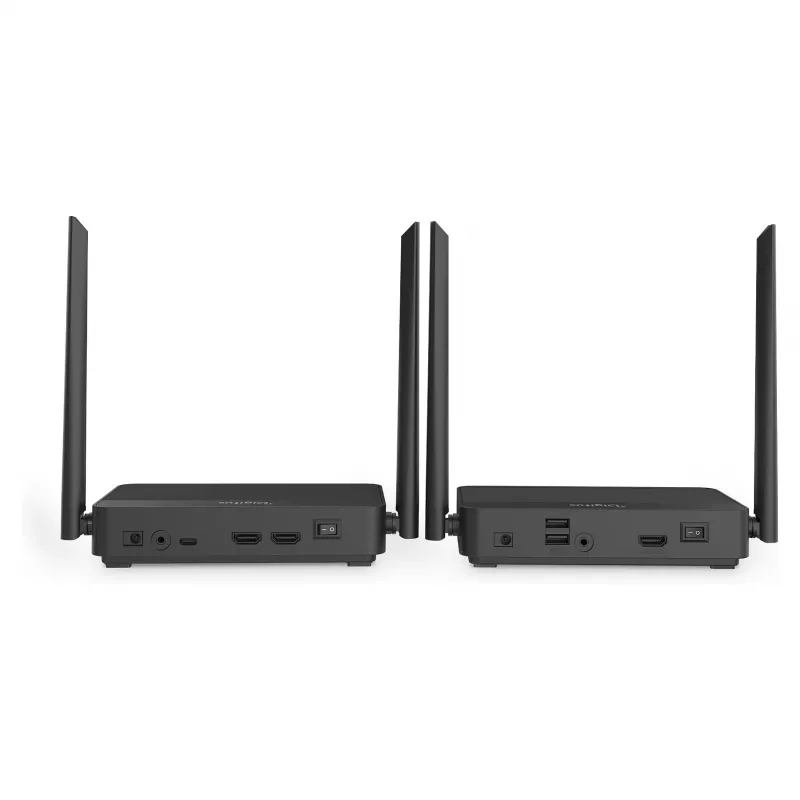
  • Transmitter ports: 1× HDMI input (4K/60Hz), 1× HDMI loop-out (4K/60Hz), 1× USB-C for KVM/touch control, 1× IR port, DC power input, on/off switch
  • Receiver ports: 2× USB-A for keyboard/mouse or touch display, HDMI output
  • Housing material and color: ABS plastic, black
  • Power consumption: approx. 10 W per unit
  • Operating temperature: 0–40 °C
  • Unit dimensions (each): 16.1 × 9.4 × 3.4 cm; Weight (each): 340 g

How to use

Connect the HDMI source (PC, media player or other) to the transmitter HDMI input and, if desired, attach a local monitor to the transmitter HDMI loop‑out. Connect the receiver HDMI output to the display device. Plug the receiver USB-A ports into a keyboard and mouse or a compatible touch display to enable remote control of the source; alternatively use the transmitter USB‑C port for KVM/touch functionality on supported PCs. Power both units from their supplied 12 V DC adapters, switch them on and allow automatic pairing. No drivers or additional software are required; the devices automatically select an optimal Wi‑Fi channel for the link.

Recommendations

For best results, maintain a clear line of sight between transmitter and receiver where possible; walls, glass and other obstacles can reduce range or cause signal loss. Position units away from strong RF interferers and place the transmitter and receiver at sufficient height to reduce obstructions. Use the HDMI loop‑out on the transmitter to locally monitor the source when making configuration changes. Ensure connected displays and source devices support HDMI 2.0 and HDCP 2.2 to fully utilise 4K/60Hz and HDR functionality.

Punti salienti
  • Conference rooms and meeting spaces where a source must be controlled remotely
  • Digital signage and retail displays with remote content control
  • AV installations demanding 4K/60Hz video without long HDMI cables
  • Workstations requiring remote KVM access and touch control
  • Temporary or flexible setups such as events, presentations and training
  • Wireless transmission range: up to 100 m (unobstructed view)
  • Supported resolution: up to 4K UHD (4096 x 2160) at 60 Hz
  • Latency: 16–48 ms (average approx. 32 ms)
  • HDMI version: HDMI 2.0; HDCP 2.2; HDR10 support
  • Wireless standard/frequency: IEEE 802.11 b/g/n/ac, 5 GHz band
  • Encryption/authentication: AES 128-bit; WPA2
  • Transmitter ports: 1× HDMI input (4K/60Hz), 1× HDMI loop-out (4K/60Hz), 1× USB-C for KVM/touch control, 1× IR port, DC power input, on/off switch
  • Receiver ports: 2× USB-A for keyboard/mouse or touch display, HDMI output
  • Housing material and color: ABS plastic, black
  • Power consumption: approx. 10 W per unit
  • Operating temperature: 0–40 °C
  • Unit dimensions (each): 16.1 × 9.4 × 3.4 cm; Weight (each): 340 g
Specifiche
Altezza del ricevitore
34 mm
Altezza trasmettitore
34 mm
Colore del prodotto
Black
Distanza massima di trasferimento
100 m
Frequenza di aggiornamento massima
60 Hz
HDCP
Yes
High Dynamic Range (HDR) supportato
Yes
Larghezza del ricevitore
161 mm
Larghezza trasmettitore
161 mm
Materiale
Plastic
Peso ricevitore
340 g
Peso trasmettitore
340 g
Profondità colore
128 bit
Profondità del ricevitore
94 mm
Profondità trasmettitore
94 mm
Risoluzione digitale massima
4096 x 2160
Tecnologia di connettività
Wireless
Temperatura di esercizio (T-T)
0 - 40
Tipo
Transmitter & receiver
Tipo di connettore USB
USB Type A/USB Type-C
Tipo di porta tastiera/mouse locale del ricevitore
USB
Tipo di porta tastiera/mouse locale del trasmettitore
USB
Tipo di porta video del trasmettitore
HDMI
Tipo di porta video locale del ricevitore
HDMI
Tipo di porta video locale del trasmettitore
HDMI
Versione HDCP
2.2
Versione HDMI
2.0

Brochure

Apri documento
Storico prezzi degli ultimi 6 mesi
Set extender HDMI KVM wireless DIGITUS DS-55360 – trasmettitore e ricevitore, wireless, 100 m, 4K/60 Hz, HDMI, USB-A/USB-C
Attuale
293,83 €
Minimo
278,03 €
Massimo
361,75 €
Variazione 24 h
+0,16 €   +0%
Settimana
-67,91 €   -19%
Mese
+14,44 €   +5%
Ciao, sono l'assistente AI di DistriNode. Posso aiutarti a trovare prodotti, confrontare le opzioni, creare preventivi in PDF o aprire richieste di assistenza.