Account Contatti
Il tuo carrello
Spedizione DPD & FedEx
Serve aiuto? Chiedi all'AI

Stampante a getto d'inchiostro Canon PIXMA G3590 A4 4800 x 1200 DPI WLAN

Stampante a getto d'inchiostro Canon PIXMA G3590 A4 4800 x 1200 DPI WLAN
372,73 €
Canon PIXMA G3590Enjoy low-cost, high-quality documents and photos and fast two-sided prints with this easy to use, refillable and Wi-Fi-equipped 3-in-1 home printer.Fast, high-quality two-sided prints. Huge savingsMake huge savings on home printing, print two-sided documents quickly and print wirel... Leggi di più
Stock 3 Codice 2358508 Marca Canon Modello 6706C006 Garanzia 2 anni
CategoriaStampanti multifunzione

Spedizioni e resi

Consegna stimata lunedì 9 novembre
Ti terremo aggiornato tramite il nostro sistema di tracciamento dettagliato
Opzioni di pagamento
Carta di credito/debitoVisaMastercardPayPalApple PayGoogle PayBonifico bancario
Canon PIXMA G3590

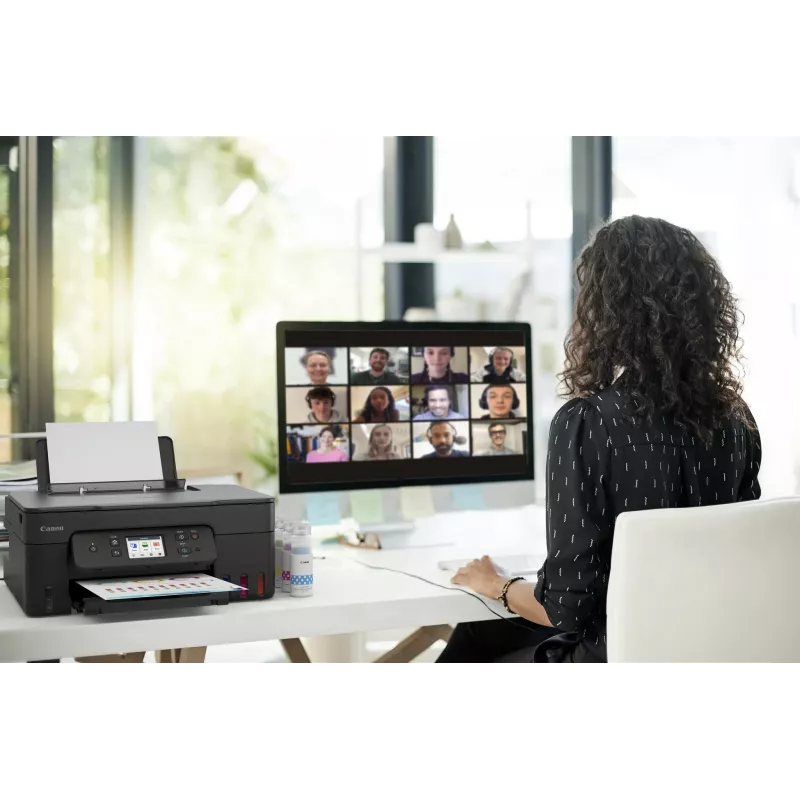
Enjoy low-cost, high-quality documents and photos and fast two-sided prints with this easy to use, refillable and Wi-Fi-equipped 3-in-1 home printer.

Fast, high-quality two-sided prints. Huge savings
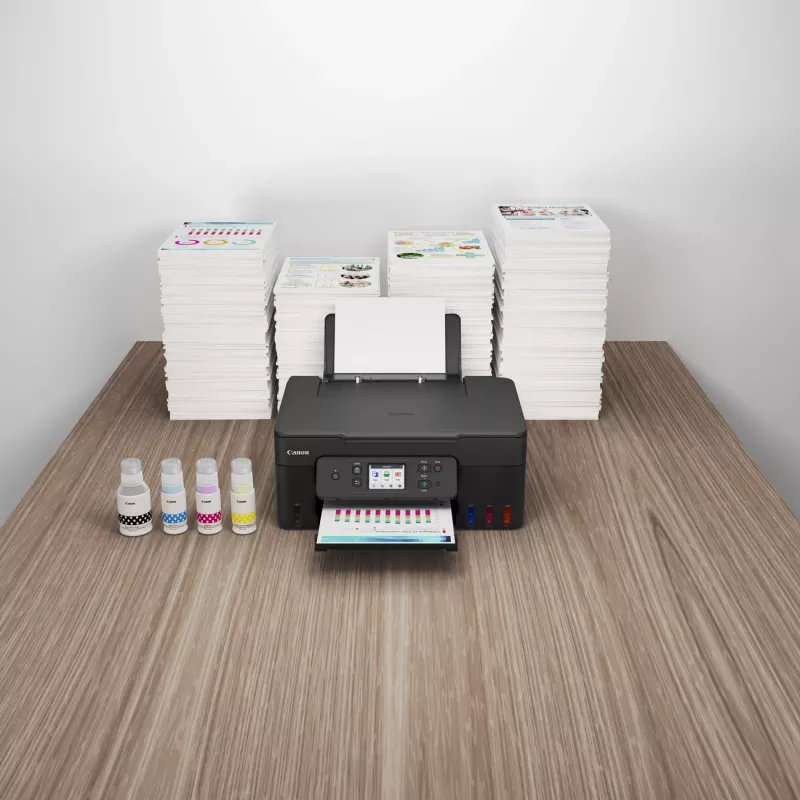
Make huge savings on home printing, print two-sided documents quickly and print wirelessly with ease with this highly efficient MegaTank printer. Thanks to its refillable ink tanks, a single set of ink bottles can deliver up to 8.100 prints1, making running costs refreshingly low compared to cartridge-based printers.

Ultra-low running costs
Make huge savings over the printer’s lifetime thanks to refillable high-yield ink tanks. Print 6.000 pages from a black ink bottle (7.600 in Economy) and 7.700 pages from a set of colour ink bottles (8,100 in Economy)

Fast, high-quality results
Both documents and photos look fantastic, thanks to pigment black ink and dye-based colour inks. And they arrive quickly too, with print speeds of 11.0 ipm (mono) and 6.0 ipm (colour) and automatic duplex printing

Simple operation
Easy, straightforward day-to-day use thanks to a tilting 2.7” colour LCD touch screen, user-friendly Switch UI menu and single-action print head installation

Wireless connectivity
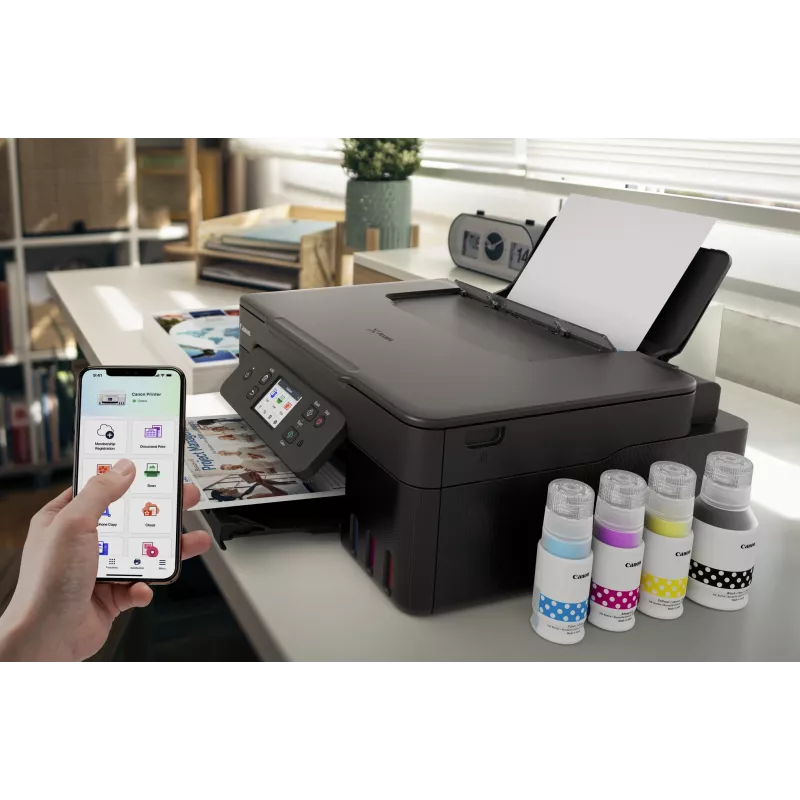
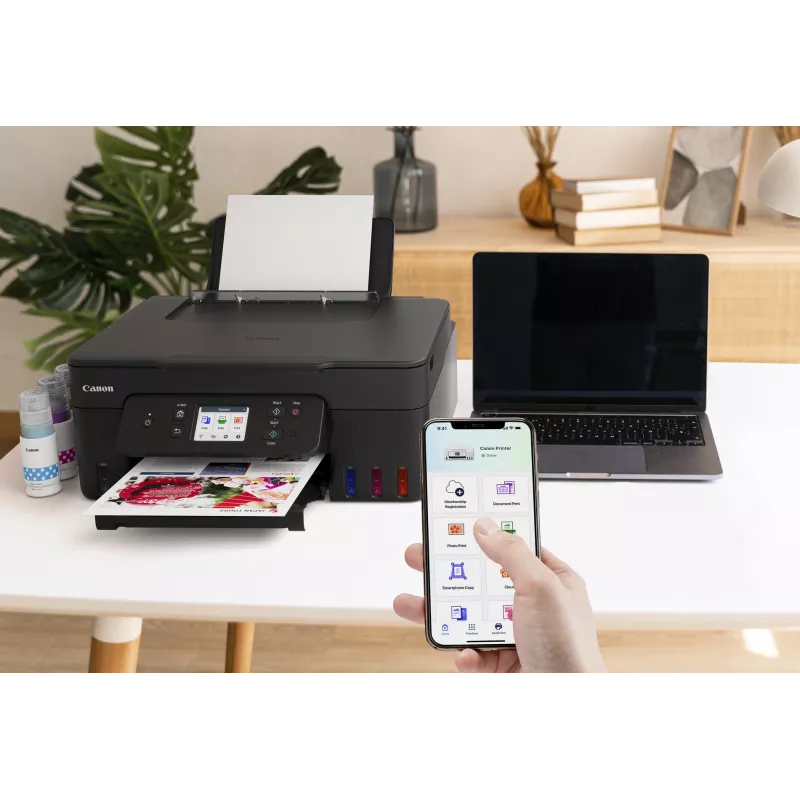
Print seamlessly from a range of devices with Wi-Fi connectivity and support for PIXMA Cloud Link (now with no login requirement), Canon PRINT app, Apple AirPrint and more. Scan documents to your smartphone in seconds with a simple QR code.

Easy at-home maintenance
Keep downtime to a minimum thanks to the user-replaceable maintenance cartridge and mechanical ID no-squeeze ink bottles

Work with more media
Get creative at home with the ability to print on magnetic, iron-on and matte photo paper

How to use

Install the included ink bottles into the refillable tanks following the manufacturer’s filling instructions and connect the device to power. Use the setup software or the printer control panel to connect the PIXMA G3590 to the local Wi‑Fi network or attach via USB for direct printing. Load paper into the input tray, select print settings from your computer or mobile app, and initiate printing. Use the flatbed scanner lid to place documents or photos for scanning or copying and follow the on-screen or software prompts to select resolution and file format.

Recommendations

For reliable long-term operation, use genuine Canon inks and refill only when indicated by the tank levels. Choose appropriate paper types for photos versus documents, and perform periodic nozzle checks and print-head maintenance via the device utilities to preserve print quality.
11.0 ipm / 6.0 ipm

11.0 ipm / 6.0 ipm

Fast print speeds for increased productivity

2.7” tilting colour LCD touch screen

Tilting colour touch display for greater usability
2.7” tilting colour LCD touch screen
High quality printing

High quality printing

Sharp print resolution for high quality photos and documents

3-in-1 printer

Print, scan and copy with a single device
3-in-1 printer
Automatic duplex printing

Automatic duplex printing

Print two-sided documents with ease

100-sheet capacity

Large-capacity rear tray for volume printing
100-sheet capacity
Wi-Fi

Wi-Fi

Connect wirelessly to your computer or smart device

Mac, Windows and Chrome

Works with all major computer operating systems
Mac, Windows and Chrome
Punti salienti
  • Home offices needing economical daily document printing
  • Small businesses producing invoices, reports and marketing flyers
  • Students and home users printing homework, presentations and photos
  • Users who require wireless printing from smartphones and tablets
  • Function: Print, scan, copy
  • Printing technology: Inkjet
  • Ink system: Integrated refillable ink tanks (high-capacity)
  • Connectivity: Wi‑Fi for wireless and mobile printing; USB local connection
  • Colour capability: Colour and black-and-white printing
  • Scanner type: Flatbed scanner suitable for documents and photos
  • Recommended use: Home and small office
  • Physical design: Compact footprint for limited workspace
Specifiche
Algoritmi di sicurezza
SNMP
Altezza
268 mm
Altri sistemi operativi supportati
ChromeOS
Bluetooth
Yes
Capacità cartuccia inclusa (CMY)
7700 pages
Capacità cartuccia inclusa (modalità risparmio, CMY)
8100 pages
Capacità cartuccia inclusa (modalità risparmio, nero)
7600 pages
Capacità cartuccia inclusa (nero)
6000 pages
Capacità totale di ingresso
100 sheets
Cartucce di ricambio
GI-51 PGBK, GI-51 C, GI-51 M, GI-51 Y
Cartucce incluse
Yes
Cavi inclusi
AC
Cavo di alimentazione incluso
Yes
Colore del prodotto
Black
Colori di stampa
Black, Cyan, Magenta, Yellow
Consumo elettrico tipico Energy Star (TEC)
0.22 kWh/week
Consumo energetico (copia)
18 W
Consumo energetico (spento)
0.1 W
Consumo energetico (standby)
1.5 W
Copia
Colour copying
Copia fronte/retro
No
Diagonale del display
6.86 cm (2.7")
Display
LCD
Display a colori
Yes
Display integrato
Yes
Formati buste
C5, Com-10, DL
Formati carta fotografica
10x15,13x18,18x25,20x25
Formati carta non ISO
Executive, Legal, Letter
Formati serie A ISO (A0...A9)
A4, A5, A6
Formati serie ISO B (B0...B9)
B5
Formati supportati per stampa senza bordi
10x15, 13x18, 20x25, A4, Letter
Formato carta massimo serie A ISO
A4
Formato di stampa massimo
216 x 1200 mm
Frequenza di ingresso CA
50/60 Hz
Funzione di copia N-in-1
Yes
Funzione di copia N-in-1 (N=)
2, 4
Funzione fax
No
Funzioni fronte/retro
Print
Grammatura supporti vassoio carta
64 - 105 g/m²
Larghezza
416 mm
Larghezza supporto personalizzato
55 - 216 mm
Livello di pressione sonora (stampa)
49 dB
Lunghezza supporto personalizzato
89 - 1200 mm
Manuale
Yes
Modalità copia fronte/retro
Auto
Modalità di scansione fronte/retro
Manual
Modalità di stampa fronte/retro
Auto
Numero di cartucce di stampa
4
Numero massimo di copie
99 copies
Numero totale di vassoi di ingresso
1
Paese di origine
Vietnam
Peso
6.5 kg
Porta USB
Yes
Porta USB
USB Type-B
Posizionamento sul mercato
Home & office
Profondità
555 mm
Profondità colore in ingresso
16 bit
Profondità colore in uscita
8 bit
Profondità scala di grigi in ingresso
16 bit
Profondità scala di grigi in uscita
8 bit
Protocolli di gestione
SNMP, HTTP, TCP/IP (IPv4/IPv6)
Protocolli di rete supportati (IPv4)
Y
Protocolli di rete supportati (IPv6)
Y
Ridimensionamento copia
25 - 400%
Risoluzione di scansione ottica
600 x 1200 DPI
Risoluzione massima
4800 x 1200 DPI
Scansione
Colour scanning
Scansione fronte/retro
No
Scansione verso
Cloud
Sistema a serbatoio d'inchiostro
Yes
Sistemi operativi Mac supportati
Mac OS X 10.15 Catalina, Mac OS X 10.15.3 Catalina, Mac OS X 10.2 Jaguar, Mac OS X 10.3 Panther, Mac OS X 10.4 Tiger, Mac OS X 10.5 Leopard, Mac OS X 10.6 Snow Leopard, Mac OS X 10.7 Lion, Mac OS X 10.8 Mountain Lion, Mac OS X 10.9 Mavericks, Mac OS X 11.0 Big Sur, Mac OS X 12.0 Monterey
Sistemi operativi mobili supportati
Android, iOS
Sistemi operativi server supportati
Windows Server 2008 R2, Windows Server 2012 R2, Windows Server 2016, Windows Server 2019, Windows Server 2022
Sistemi operativi Windows supportati
Windows 10, Windows 11, Windows 8.1
Software in dotazione
Printer Driver, IJ Printer Assistant Tool
Stampa
Colour printing
Stampa diretta
Yes
Stampa economica
Yes
Stampa fronte/retro
Yes
Stampa senza bordi
Yes
Standard Wi-Fi
802.11a, 802.11b, 802.11g, Wi-Fi 4 (802.11n), Wi-Fi 5 (802.11ac)
Tecnologia di scansione
CIS
Tecnologia di stampa
Inkjet
Tecnologie di stampa mobile
Apple AirPrint, Mopria Print Service, PIXMA Cloud Link
Temperatura di esercizio (T-T)
5 - 35 °C
Tempo di uscita della prima copia (a colori, normale)
23 s
Tensione di ingresso CA
100 - 240 V
Tipi di supporto vassoio carta
Envelopes, Glossy paper, High resolution paper, Iron-On Transfers, Matte paper, Photo paper, Plain paper, Semi-glossy paper
Tipo di scanner
Flatbed scanner
Umidità relativa di esercizio (H-H)
10 - 90%
Velocità di stampa (ISO/IEC 24734) a colori
6 ipm
Velocità di stampa (ISO/IEC 24734) monocromatica
11 ipm
Wi-Fi
Yes
Wi-Fi Direct
Yes

Manuale

Apri documento

Brochure

Apri documento
Storico prezzi degli ultimi 6 mesi
Stampante a getto d'inchiostro Canon PIXMA G3590 A4 4800 x 1200 DPI WLAN
Attuale
372,73 €
Minimo
357,00 €
Massimo
472,93 €
Variazione 24 h
+14,10 €   +4%
Settimana
+14,85 €   +4%
Mese
-99,58 €   -21%

Scrivi una recensione

Valutazione *
Il tuo nome sarà mostrato pubblicamente – puoi usare un nickname. Invitiamo gli acquirenti a scrivere recensioni; le controlliamo prima della pubblicazione e pubblichiamo anche quelle critiche.

Altri prodotti Canon in questa categoria

Prodotti più popolari in questa categoria

Venditore: UAB KUR LT · Laisvės pr. 125A, LT-06118 Vilnius, Lituania · Codice società 303192950 · Partita IVA UE LT100008198612 · Spedizione dall'UE (Lituania)
Ciao, sono l'assistente AI di DistriNode. Posso aiutarti a trovare prodotti, confrontare le opzioni, creare preventivi in PDF o aprire richieste di assistenza.
Tutte le categorie