
Account Contatti
Il tuo carrello
Spedizione DPD & FedEx
Serve aiuto? Chiedi all'AI

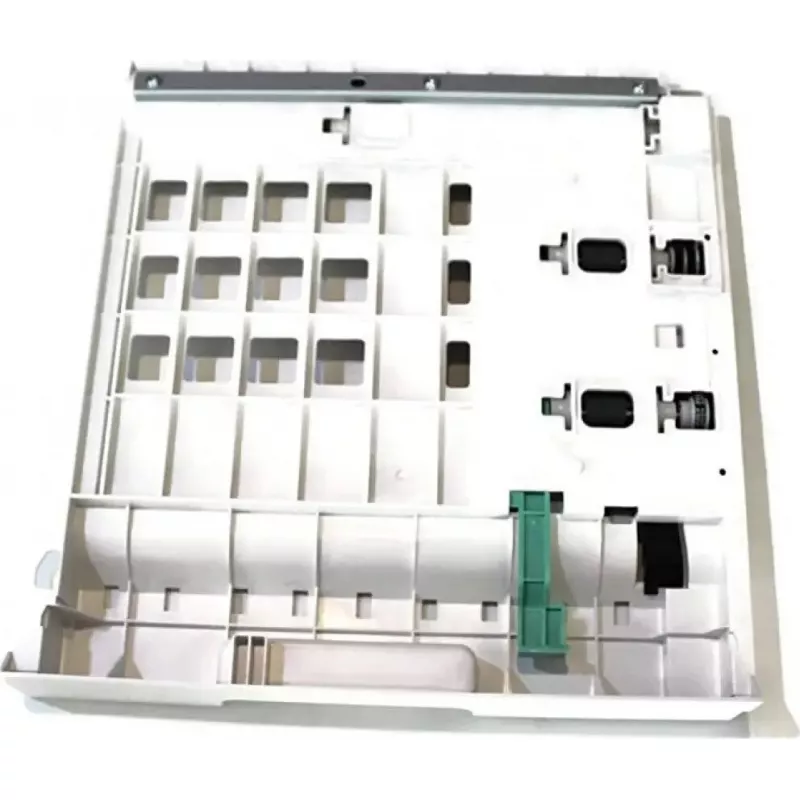
Unità duplex Xerox 022N02856 per stampa duplex A4

Unità duplex Xerox 022N02856 per stampa duplex A4
81,17 €
The Xerox Duplex Unit 022N02856 for A4 2-Sided Printing is an accessory designed to enable automatic double-sided printing on compatible Xerox A4 printers. It attaches to the printer to automate duplexing, reducing the need for manual page refeeding and improving document workflow efficiency. The un... Leggi di più
Stock 6 Codice 2574522 Marca XEROX Modello 022N02856 Garanzia 2 anni

Spedizioni e resi

Consegna stimata Venerdì, Ottobre 23
Ti terremo aggiornato tramite il nostro sistema di tracciamento dettagliato
Opzioni di pagamento
Carta di credito/debitoVisaMastercardPayPalApple PayGoogle PayBonifico bancario

The Xerox Duplex Unit 022N02856 for A4 2-Sided Printing is an accessory designed to enable automatic double-sided printing on compatible Xerox A4 printers. It attaches to the printer to automate duplexing, reducing the need for manual page refeeding and improving document workflow efficiency. The unit supports standard A4 paper handling and integrates with the printer's existing feed mechanisms to deliver two-sided output reliably.

Advantages

The duplex unit reduces paper consumption and minimizes manual intervention by enabling fully automatic two-sided printing. Installation is straightforward and intended to align with the printer's paper path for consistent sheet handling. Its mechanical design focuses on reliability and repeatability, providing stable duplex performance for routine office or home printing tasks.

Suitable for

  • Office environments that require regular A4 two-sided document production
  • Home offices where saving paper and improving workflow are priorities
  • Departments producing manuals, reports, or multi-page handouts
  • Print-heavy workflows where automated duplexing reduces operator time

Key specifications

  • Paper size supported: A4
  • Function: automatic two-sided (duplex) printing
  • Compatibility: designed for compatible Xerox A4 printers (accessory/replacement unit)
  • Integration: mounts to the printer's paper path to enable duplexing without manual page flipping
  • Intended use: office and home printing environments

How to use

Install the duplex unit according to the printer manufacturer's installation instructions: power off the printer, attach the unit to the designated mounting points on the printer, secure connectors if present, then power on the printer. After installation, enable duplex printing through the printer driver or the device control panel to select two-sided output. Test with a few A4 sheets to confirm correct alignment and feed before regular use.

Recommendations

Use standard A4 paper within the printer's specified weight and type range to ensure reliable duplexing. Regularly check and clear any paper jams and perform routine maintenance as described in the printer manual to maintain consistent two-sided print quality.

Punti salienti
  • Office environments that require regular A4 two-sided document production
  • Home offices where saving paper and improving workflow are priorities
  • Departments producing manuals, reports, or multi-page handouts
  • Print-heavy workflows where automated duplexing reduces operator time
  • Paper size supported: A4
  • Function: automatic two-sided (duplex) printing
  • Compatibility: designed for compatible Xerox A4 printers (accessory/replacement unit)
  • Integration: mounts to the printer's paper path to enable duplexing without manual page flipping
  • Intended use: office and home printing environments
Storico prezzi degli ultimi 6 mesi
Unità duplex Xerox 022N02856 per stampa duplex A4
Attuale
81,17 €
Minimo
27,00 €
Massimo
91,79 €
Variazione 24 h
+0,73 €   +1%
Settimana
+0,89 €   +1%
Mese
+30,67 €   +61%

Prodotti più popolari in questa categoria

Ciao, sono l'assistente AI di DistriNode. Posso aiutarti a trovare prodotti, confrontare le opzioni, creare preventivi in PDF o aprire richieste di assistenza.