
Account Contatti
Il tuo carrello
Spedizione DPD & FedEx
Serve aiuto? Chiedi all'AI

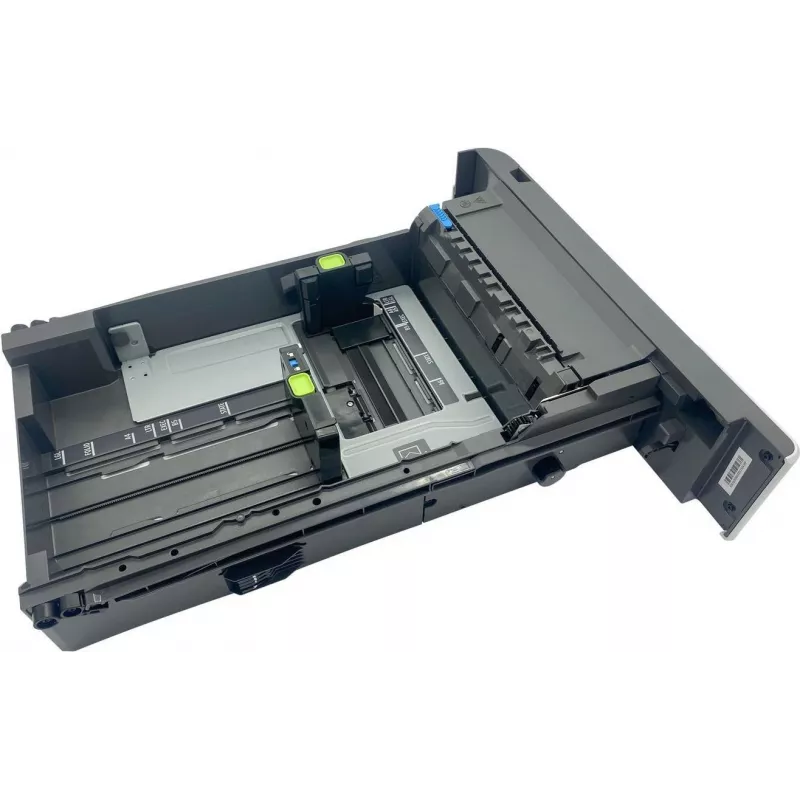
Vassoio carta per stampanti Lexmark – ricambio compatibile 41X1118

Vassoio carta per stampanti Lexmark – ricambio compatibile 41X1118
127,18 €
Replacement paper media tray compatible with Lexmark printers — spare part designed to restore or increase paper handling capacity. The tray provides stable paper stacking and smooth feeding to reduce misfeeds and interruptions. It is intended as a direct-fit replacement for worn or missing trays on... Leggi di più
Stock 5 Codice 1164390 Marca LEXMARK Modello 41X1118 Garanzia 2 anni

Spedizioni e resi

Consegna stimata Martedì, Ottobre 20
Ti terremo aggiornato tramite il nostro sistema di tracciamento dettagliato
Opzioni di pagamento
Carta di credito/debitoVisaMastercardPayPalApple PayGoogle PayBonifico bancario

Replacement paper media tray compatible with Lexmark printers — spare part designed to restore or increase paper handling capacity. The tray provides stable paper stacking and smooth feeding to reduce misfeeds and interruptions. It is intended as a direct-fit replacement for worn or missing trays on compatible Lexmark models and installs without complex adjustments.

Advantages

The tray is built to align paper reliably and maintain consistent feed performance, reducing the need for manual reloading during print jobs. Constructed from durable materials that withstand repeated use, it supports common paper sizes and weights used in offices and homes. Installation and removal are straightforward, enabling quick replacement or expansion of the printer's paper capacity.

Suitable for

  • Office printers requiring replacement or additional paper trays
  • Home users who need increased paper capacity or a spare tray
  • Service technicians performing maintenance or parts replacement

Key specifications

  • Compatibility: designed for compatible Lexmark printers (verify model fit before purchase)
  • Paper handling: supports standard office paper types and weights
  • Capacity: provides additional paper stacking capacity to extend print runs
  • Construction: durable plastic components for repeated insertion and removal
  • Installation: tool-free installation compatible with designated printer models

How to use

Power off the printer and open the paper tray compartment according to the printer manual. Remove the old or damaged tray if present, then slide the replacement tray into the compartment until it seats firmly. Adjust any paper guides to fit the paper size, load paper without exceeding the recommended fill line, and close the compartment. Power on the printer and run a test print or tray alignment procedure if the printer requests confirmation.

Recommendations

Use standard, undamaged paper and align sheets before loading to minimize jams. Verify compatibility with your Lexmark model before installation. Periodically inspect the tray for cracks or wear and replace if feeding issues occur. Avoid overfilling beyond the indicated capacity to maintain reliable feeding.

Punti salienti
  • Office printers requiring replacement or additional paper trays
  • Home users who need increased paper capacity or a spare tray
  • Service technicians performing maintenance or parts replacement
  • Compatibility: designed for compatible Lexmark printers (verify model fit before purchase)
  • Paper handling: supports standard office paper types and weights
  • Capacity: provides additional paper stacking capacity to extend print runs
  • Construction: durable plastic components for repeated insertion and removal
  • Installation: tool-free installation compatible with designated printer models
Storico prezzi degli ultimi 6 mesi
Vassoio carta per stampanti Lexmark – ricambio compatibile 41X1118
Attuale
127,18 €
Minimo
125,00 €
Massimo
162,34 €
Variazione 24 h
+0,62 €   +0%
Settimana
+0,88 €   +1%
Mese
+1,09 €   +1%
Ciao, sono l'assistente AI di DistriNode. Posso aiutarti a trovare prodotti, confrontare le opzioni, creare preventivi in PDF o aprire richieste di assistenza.