
Account Contatti
Il tuo carrello
Spedizione DPD & FedEx
Serve aiuto? Chiedi all'AI

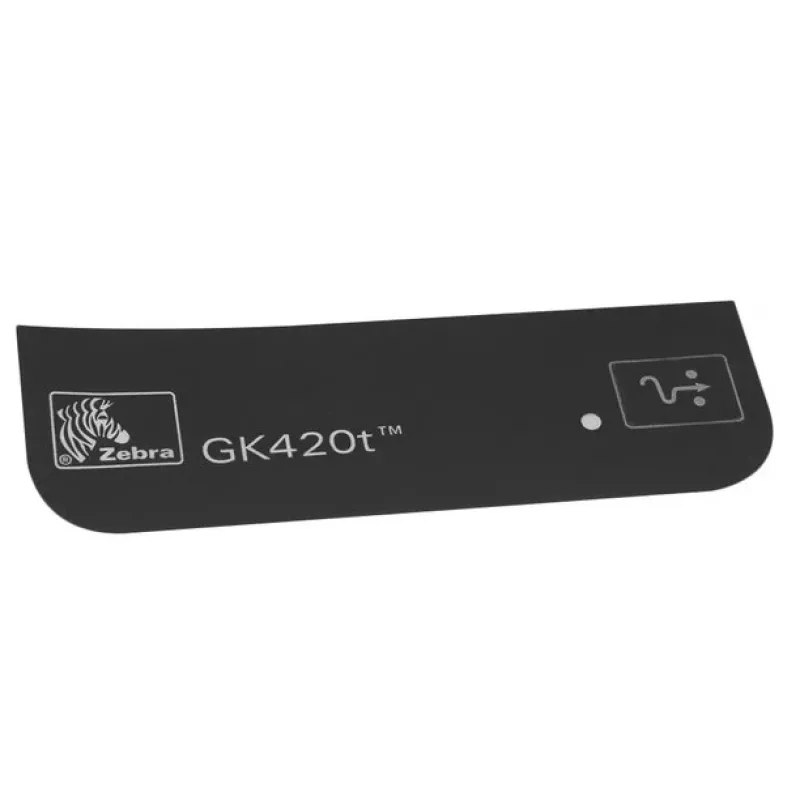
Zebra 105934-063 ricambio/accessorio per stampante/scanner targhetta 1 pz.

Zebra 105934-063 ricambio/accessorio per stampante/scanner targhetta 1 pz.
14,99 €
The Cutter module Opticon P1080383-417 barcode reader accessory is an add-on designed to integrate with Opticon barcode readers to provide automated cutting of labels and receipts. It enables precise separation of printed material, reducing the need for manual tearing and improving workflow continui... Leggi di più
Stock EsauritoNon disponibile Codice 1221496 Marca ZEBRA Modello 105934-063 Garanzia 2 anni

Spedizioni e resi

The Cutter module Opticon P1080383-417 barcode reader accessory is an add-on designed to integrate with Opticon barcode readers to provide automated cutting of labels and receipts. It enables precise separation of printed material, reducing the need for manual tearing and improving workflow continuity in retail and logistics settings. The module is described as durable and reliable, intended for regular use where consistent cutting performance is required.

Advantages

The cutter module delivers consistent, precise cuts to labels and receipts, decreasing errors caused by manual handling. Its design emphasizes durability and reliability to support frequent use in point-of-sale and back-office environments. By automating the cutting step, it streamlines processes and contributes to faster transaction and packing operations.

Suitable for

  • Retail point-of-sale systems that require neat label or receipt separation
  • Warehouse and logistics stations where printed shipping labels need to be cut accurately
  • Back-office printing tasks that demand repeatable, reliable cutting of small print runs

Key specifications

  • Function: automated cutter module for barcode reader accessories
  • Compatibility: designed for integration with Opticon barcode reader units
  • Primary use: cutting labels and receipts
  • Build focus: durability and reliability for frequent operation

How to use

Attach the cutter module to a compatible Opticon barcode reader according to the reader’s accessory installation instructions, ensuring secure mechanical and electrical connections where required. Feed printed labels or receipts through the cutter area following the device orientation specified by the host reader. Operate the cutter via the reader’s print or feed commands so that each label or receipt is separated automatically at the desired point.

Recommendations

For consistent results, use labels and receipt paper within the thickness and material range specified by your Opticon barcode reader documentation; avoid feeding torn or excessively creased media. Regularly inspect and, if the design allows, clean the cutter path to prevent buildup of adhesive or paper debris. Follow the host device maintenance schedule to maintain reliable cutting performance.

Punti salienti
  • Retail point-of-sale systems that require neat label or receipt separation
  • Warehouse and logistics stations where printed shipping labels need to be cut accurately
  • Back-office printing tasks that demand repeatable, reliable cutting of small print runs
  • Function: automated cutter module for barcode reader accessories
  • Compatibility: designed for integration with Opticon barcode reader units
  • Primary use: cutting labels and receipts
  • Build focus: durability and reliability for frequent operation
Specifiche
Colore del prodotto
Black
Compatibilità
GX420T
Compatibilità dispositivi
Label printer
Marche compatibili
Zebra
Quantità per confezione
1 pc(s)
Tipo
Nameplate

Brochure

Apri documento
Storico prezzi degli ultimi 6 mesi
Zebra 105934-063 ricambio/accessorio per stampante/scanner targhetta 1 pz.
Attuale
14,99 €
Minimo
14,37 €
Massimo
15,14 €
Variazione 24 h
+0,46 €   +3%
Settimana
+0,55 €   +4%
Mese
+0,51 €   +4%

Prodotti più popolari in questa categoria

Ciao, sono l'assistente AI di DistriNode. Posso aiutarti a trovare prodotti, confrontare le opzioni, creare preventivi in PDF o aprire richieste di assistenza.