
Account Contatti
Il tuo carrello
Spedizione DPD & FedEx
Serve aiuto? Chiedi all'AI

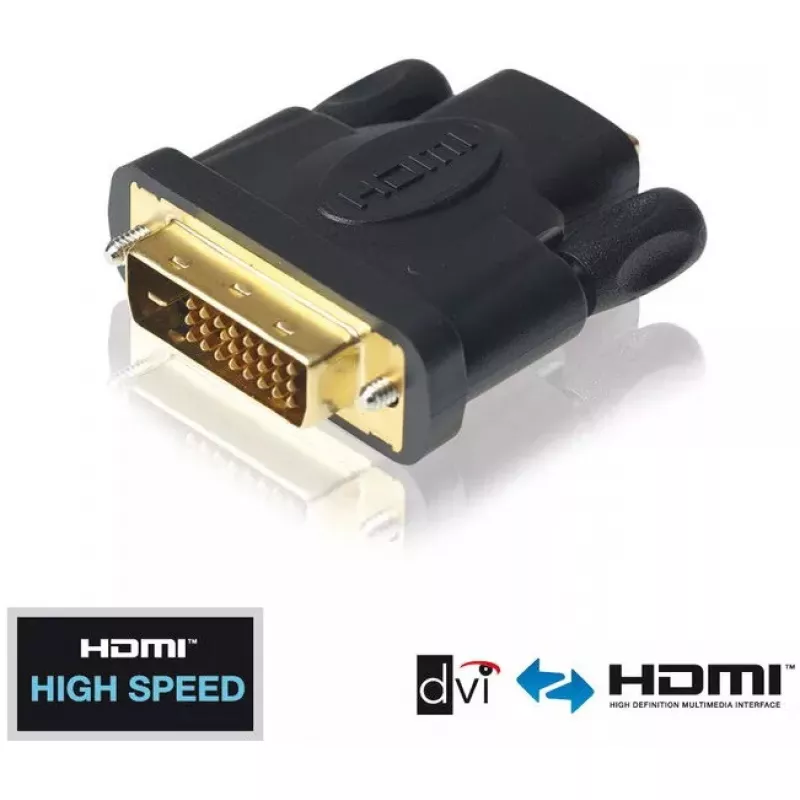
Adattatore DVI-D a HDMI PureLink PureInstall PI010

Adattatore DVI-D a HDMI PureLink PureInstall PI010
21,20 €
The PureLink PureInstall PI010 is a High Speed DVI-D male to HDMI female adapter designed for reliable signal conversion from DVI to HDMI. Built for professional installations, the adapter supports video resolutions up to 1920x1200 (WUXGA) and features gold-plated premium contacts and high-quality P... Leggi di più
Stock 6 Codice 1426410 Marca PURELINK Modello PI010 Garanzia 2 anni

Spedizioni e resi

Consegna stimata Giovedì, Ottobre 22
Ti terremo aggiornato tramite il nostro sistema di tracciamento dettagliato
Opzioni di pagamento
Carta di credito/debitoVisaMastercardPayPalApple PayGoogle PayBonifico bancario

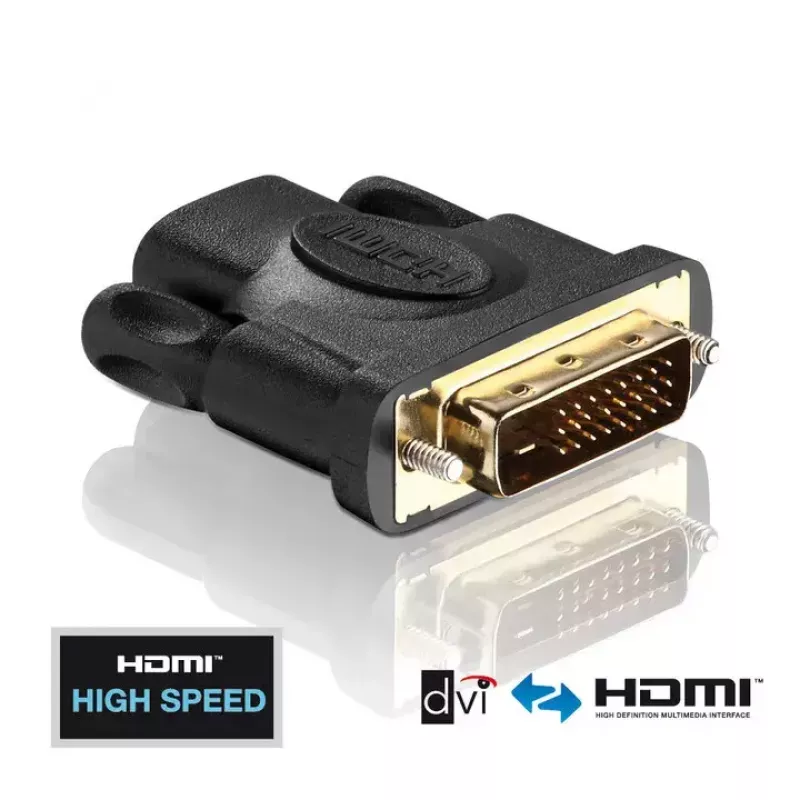
The PureLink PureInstall PI010 is a High Speed DVI-D male to HDMI female adapter designed for reliable signal conversion from DVI to HDMI. Built for professional installations, the adapter supports video resolutions up to 1920x1200 (WUXGA) and features gold-plated premium contacts and high-quality PCBs to ensure stable transmission in demanding environments.

Advantages

The adapter provides optimum signal quality through its high-quality printed circuit boards and plated contacts. Its compact size and precise manufacturing make it suitable for tight installation spaces, while the PureInstall series emphasizes reliability and compatibility with other PureLink installation products such as cables, amplifiers and wall plates. The PI010 combines certified PureLink quality with a practical price-performance ratio.

Suitable for

  • Converting a DVI-D output to an HDMI input for displays and projectors
  • Professional AV installations and fixed wall-plate systems
  • Home theater and gaming setups requiring DVI-to-HDMI connection
  • Presentations and meeting-room video connections

Key specifications

  • Connector 1: DVI-D (male)
  • Connector 2: HDMI (female)
  • Supported maximum resolution: up to 1920x1200 (WUXGA)
  • Contacts: gold-plated premium contacts
  • Colour: Black

How to use

Insert the DVI-D male end into the source device’s DVI-D output and connect an HDMI cable to the adapter’s HDMI female port to the display or projector. Ensure connectors are fully seated and secured. The adapter performs passive signal conversion for video; if audio is required and the source does not output audio via DVI, provide a separate audio connection.

Recommendations

Use the adapter in dry, static-free installation environments and combine it with PureLink cables and installation accessories for optimal compatibility. Avoid excessive bending or mechanical stress on the connector to maintain long-term performance.
Punti salienti
  • Converting a DVI-D output to an HDMI input for displays and projectors
  • Professional AV installations and fixed wall-plate systems
  • Home theater and gaming setups requiring DVI-to-HDMI connection
  • Presentations and meeting-room video connections
  • Connector 1: DVI-D (male)
  • Connector 2: HDMI (female)
  • Supported maximum resolution: up to 1920x1200 (WUXGA)
  • Contacts: gold-plated premium contacts
  • Colour: Black
Specifiche
Altezza
14.5 mm
Colore del prodotto
Black
Connettore 1
DVI-D
Connettore 1 maschio/femmina
Male
Connettore 2
HDMI
Connettore 2 maschio/femmina
Female
Larghezza
55 mm
Placcatura dei contatti del connettore
Gold
Plug and Play
Yes
Profondità
43 mm
Quantità per confezione
1 pc(s)
Risoluzione massima
1920 x 1200
Velocità di trasferimento dati
3.72 Gbit/s

Brochure

Apri documento
Storico prezzi degli ultimi 6 mesi
Adattatore DVI-D a HDMI PureLink PureInstall PI010
Attuale
21,20 €
Minimo
9,42 €
Massimo
21,20 €
Variazione 24 h
+0,33 €   +2%
Settimana
+0,47 €   +2%
Mese
+11,76 €   +125%

Prodotti più popolari in questa categoria

Ciao, sono l'assistente AI di DistriNode. Posso aiutarti a trovare prodotti, confrontare le opzioni, creare preventivi in PDF o aprire richieste di assistenza.