
Account Contatti
Il tuo carrello
Spedizione DPD & FedEx
Serve aiuto? Chiedi all'AI

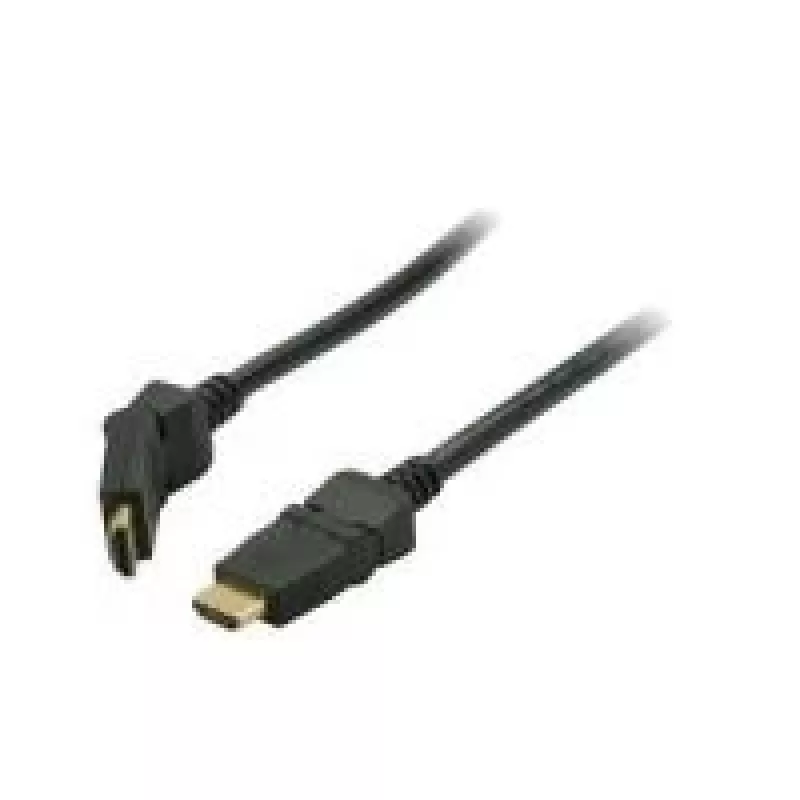
Cavo HDMI ShiverPeaks BASIC-S 2m

Cavo HDMI ShiverPeaks BASIC-S 2m
16,80 €
The ShiverPeaks BASIC-S 2m HDMI cable provides a straightforward connection between HDMI-equipped devices. Featuring HDMI Type A connectors on both ends and a 2 m length, this black cable supports digital audio and video transmission with a rated data transfer speed of 8.16 Gbit/s and gold-plated co... Leggi di più
Stock 136 Codice 2251735 Marca SHIVERPEAKS Modello BS77472-7 Garanzia 2 anni

Spedizioni e resi

Consegna stimata Mercoledì, Ottobre 21
Ti terremo aggiornato tramite il nostro sistema di tracciamento dettagliato
Opzioni di pagamento
Carta di credito/debitoVisaMastercardPayPalApple PayGoogle PayBonifico bancario

The ShiverPeaks BASIC-S 2m HDMI cable provides a straightforward connection between HDMI-equipped devices. Featuring HDMI Type A connectors on both ends and a 2 m length, this black cable supports digital audio and video transmission with a rated data transfer speed of 8.16 Gbit/s and gold-plated contacts for improved contact reliability and corrosion resistance.

Advantages

The cable combines standard HDMI Type A connectivity with a compact 2 m length suitable for typical home and office setups. Gold-plated contacts help maintain stable signal transfer and reduce oxidation over time. The cable’s construction supports uncompressed video and multichannel audio while remaining compatible with common HDMI ports on TVs, monitors, projectors and media players.

Suitable for

  • Connecting HDTVs to set-top boxes, Blu-ray players and streaming devices
  • Linking monitors to desktops or laptops with HDMI output
  • Connecting projectors for presentations or home cinema setups
  • Cable runs where a 2 m length provides convenient routing without excess slack

Key specifications

  • Cable length: 2 m
  • Connector type: HDMI Type A on both ends (standard)
  • Rated data transfer rate: 8.16 Gbit/s
  • Contact finish: gold-plated contacts
  • Colour: black

How to use

Insert one HDMI Type A connector into the HDMI output of the source device (for example a laptop, set-top box or Blu-ray player) and the other connector into the HDMI input of the display device (TV, monitor or projector). Ensure both devices are powered on and set the display to the corresponding HDMI input. For best results, make sure connectors are fully seated and avoid sharp bends near the cable ends.

Recommendations

For stable performance, avoid running the cable tightly alongside high-power electrical cables and do not place heavy objects on the cable. If using with high-resolution sources, confirm the display and source settings match the desired resolution and refresh rate to make full use of the cable’s capabilities.

Punti salienti
  • Connecting HDTVs to set-top boxes, Blu-ray players and streaming devices
  • Linking monitors to desktops or laptops with HDMI output
  • Connecting projectors for presentations or home cinema setups
  • Cable runs where a 2 m length provides convenient routing without excess slack
  • Cable length: 2 m
  • Connector type: HDMI Type A on both ends (standard)
  • Rated data transfer rate: 8.16 Gbit/s
  • Contact finish: gold-plated contacts
  • Colour: black
Specifiche
Certificazione
ATC
Colore del prodotto
Black
Connettore 1
HDMI Type A (Standard)
Connettore 1 maschio/femmina
Male
Connettore 2
HDMI Type A (Standard)
Connettore 2 maschio/femmina
Male
Formato connettore 1
Rotating
Formato connettore 2
Rotating
Lunghezza del cavo
2 m
Materiale del cavo
Copper
Placcatura dei contatti del connettore
Gold
Sezione del conduttore (AWG)
30
Velocità di trasferimento dati
8.16 Gbit/s
Storico prezzi degli ultimi 6 mesi
Cavo HDMI ShiverPeaks BASIC-S 2m
Attuale
16,80 €
Minimo
16,07 €
Massimo
17,02 €
Variazione 24 h
+0,55 €   +3%
Settimana
+0,73 €   +5%
Mese
—   

Prodotti più popolari in questa categoria

Ciao, sono l'assistente AI di DistriNode. Posso aiutarti a trovare prodotti, confrontare le opzioni, creare preventivi in PDF o aprire richieste di assistenza.