
Account Contatti
Il tuo carrello
Spedizione DPD & FedEx
Serve aiuto? Chiedi all'AI

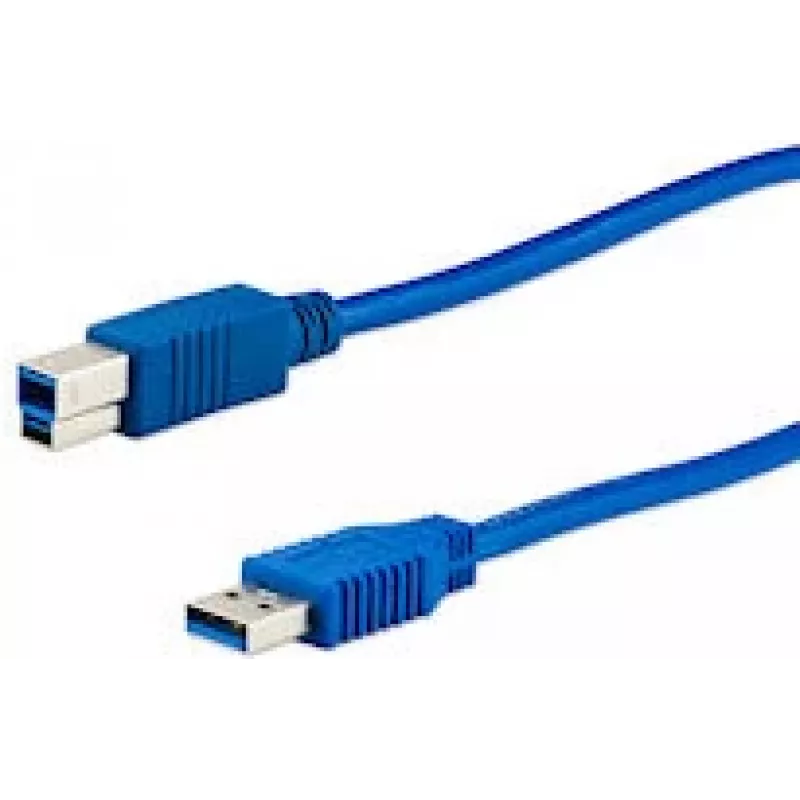
Cavo USB e+p CC 302/2 USB 3.2 Gen 1 2,5 m

Cavo USB e+p CC 302/2 USB 3.2 Gen 1 2,5 m
24,89 €
The e+p CC 302/2 USB 3.2 Gen 1 cable is a 2.5 metre data cable with a USB A male connector on one end and a USB B male connector on the other. Designed for devices that require a USB A to USB B connection, this cable supports USB 3.2 Gen 1 (also referenced as USB 3.1 Gen 1) for high-speed data trans... Leggi di più
Stock 7 Codice 2203347 Marca E+P Modello CC302/2 Garanzia 2 anni

Spedizioni e resi

Consegna stimata Lunedì, Ottobre 26
Ti terremo aggiornato tramite il nostro sistema di tracciamento dettagliato
Opzioni di pagamento
Carta di credito/debitoVisaMastercardPayPalApple PayGoogle PayBonifico bancario

The e+p CC 302/2 USB 3.2 Gen 1 cable is a 2.5 metre data cable with a USB A male connector on one end and a USB B male connector on the other. Designed for devices that require a USB A to USB B connection, this cable supports USB 3.2 Gen 1 (also referenced as USB 3.1 Gen 1) for high-speed data transfer. The cable comes in blue and is intended for use with printers, scanners and other peripherals that accept a USB B input.

Advantages

This USB A to USB B cable supports USB 3.2 Gen 1 data rates, enabling faster transfers than USB 2.0 for compatible devices. At 2.5 m length it offers extended reach while maintaining reliable signal integrity for routine peripheral connections. The blue outer jacket makes the cable easy to identify in mixed-cable setups and helps reduce connection errors when multiple cables are present.

Suitable for

  • Connecting desktop printers to a computer with a USB A port
  • Linking scanners or multifunction devices to PCs for data transfer
  • Connecting external devices and peripherals that use USB B input
  • Situations requiring a 2.5 m cable run between device and host

Key specifications

  • Connector 1: USB A (male)
  • Connector 2: USB B (male)
  • USB version: USB 3.2 Gen 1 (3.1 Gen 1)
  • Cable length: 2.5 m
  • Product colour: Blue

How to use

Plug the USB A male connector into an available USB A port on your computer or host device. Connect the USB B male connector to the USB B input on the peripheral device such as a printer or scanner. Ensure both devices are powered according to their manufacturer instructions before initiating data transfer. For best results, confirm the connected devices support USB 3.2 Gen 1 to achieve higher transfer speeds; otherwise the connection will operate at the highest mutually supported USB standard.

Recommendations

For stable operation, avoid tightly coiling the cable and keep it away from strong electromagnetic sources. Use the cable in environments within normal office or home conditions and inspect connectors for debris before connecting. If high-speed transfers are required, verify device settings and drivers support USB 3.2 Gen 1.

Punti salienti
  • Connecting desktop printers to a computer with a USB A port
  • Linking scanners or multifunction devices to PCs for data transfer
  • Connecting external devices and peripherals that use USB B input
  • Situations requiring a 2.5 m cable run between device and host
  • Connector 1: USB A (male)
  • Connector 2: USB B (male)
  • USB version: USB 3.2 Gen 1 (3.1 Gen 1)
  • Cable length: 2.5 m
  • Product colour: Blue
Specifiche
Colore del prodotto
Blue
Connettore 1
USB A
Connettore 1 maschio/femmina
Male
Connettore 2
USB B
Connettore 2 maschio/femmina
Male
Formato connettore 1
Straight
Formato connettore 2
Straight
Lunghezza del cavo
2.5 m
Quantità per confezione
1 pc(s)
Tipo di imballaggio
Blister
Versione USB
USB 3.2 Gen 1 (3.1 Gen 1)
Storico prezzi degli ultimi 6 mesi
Cavo USB e+p CC 302/2 USB 3.2 Gen 1 2,5 m
Attuale
24,89 €
Minimo
23,03 €
Massimo
25,00 €
Variazione 24 h
+0,64 €   +3%
Settimana
+1,82 €   +8%
Mese
—   

Prodotti più popolari in questa categoria

Ciao, sono l'assistente AI di DistriNode. Posso aiutarti a trovare prodotti, confrontare le opzioni, creare preventivi in PDF o aprire richieste di assistenza.