
Account Contatti
Il tuo carrello
Spedizione DPD & FedEx
Serve aiuto? Chiedi all'AI

Dock per laptop PureLink VL-D200 con filo grigio USB Power Delivery HDMI 2.0

Dock per laptop PureLink VL-D200 con filo grigio USB Power Delivery HDMI 2.0
269,92 €
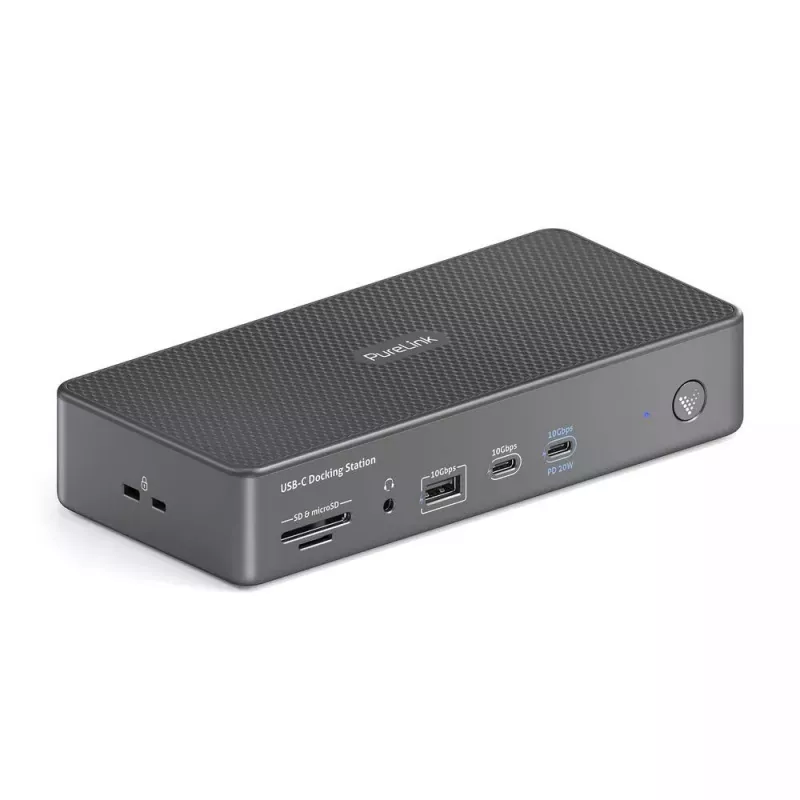
The PureLink VL-D200 (branded Vuelogic in some markets) is a wired laptop docking station that combines USB4 Gen3 input with up to 100W USB Power Delivery and a 40Gbps data link. It provides two HDMI outputs (one supporting HDMI 2.1 up to 8K30 and one HDMI 2.0 up to 4K60), multiple high-speed USB po... Leggi di più
Stock 1 Codice 1426847 Marca PURELINK Modello VL-D200 Garanzia 2 anni

Spedizioni e resi

Consegna stimata Giovedì, Ottobre 22
Ti terremo aggiornato tramite il nostro sistema di tracciamento dettagliato
Opzioni di pagamento
Carta di credito/debitoVisaMastercardPayPalApple PayGoogle PayBonifico bancario

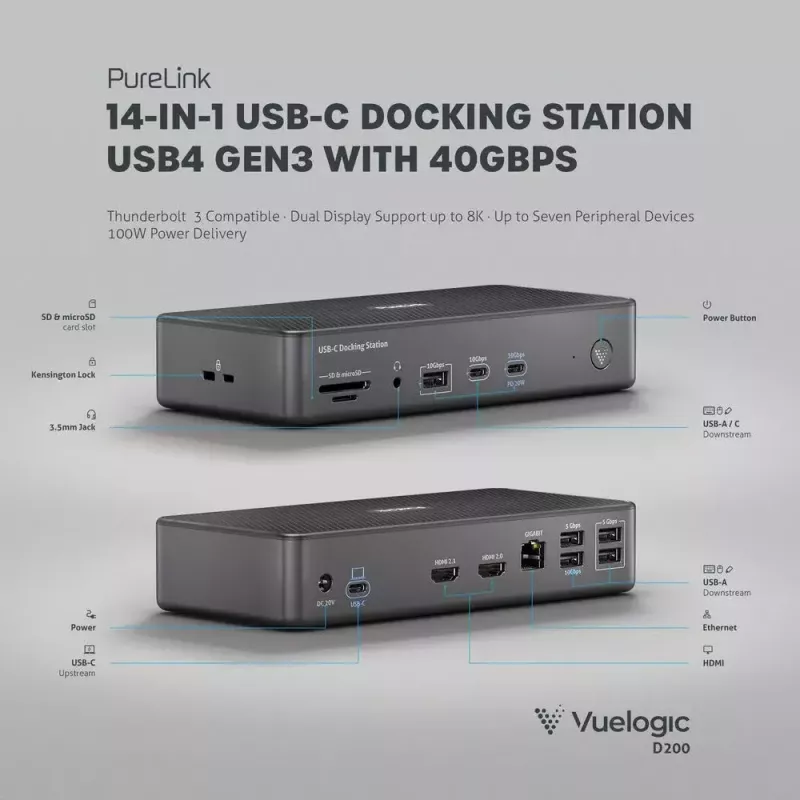
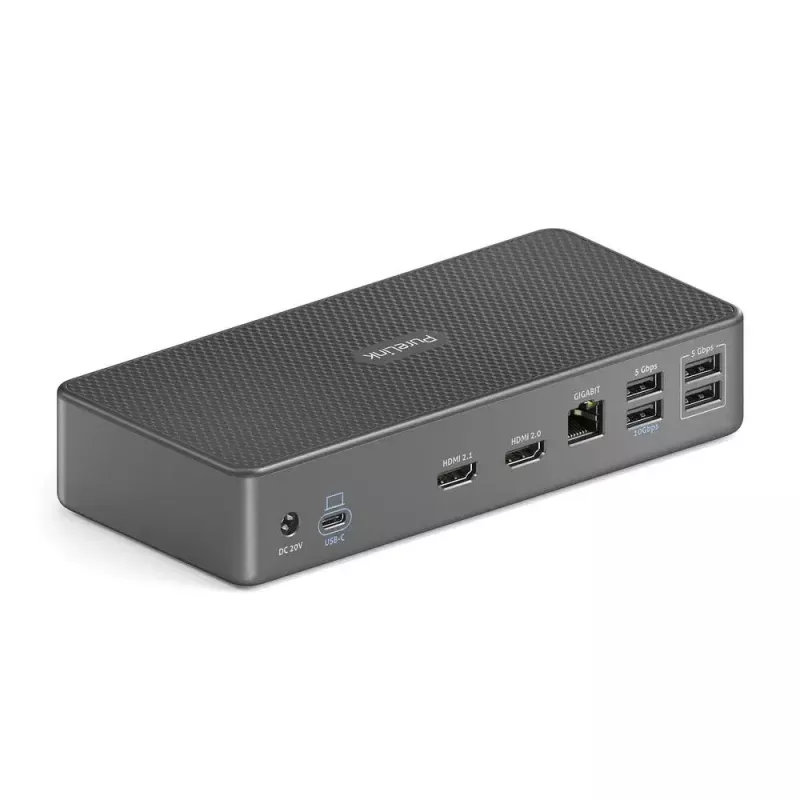
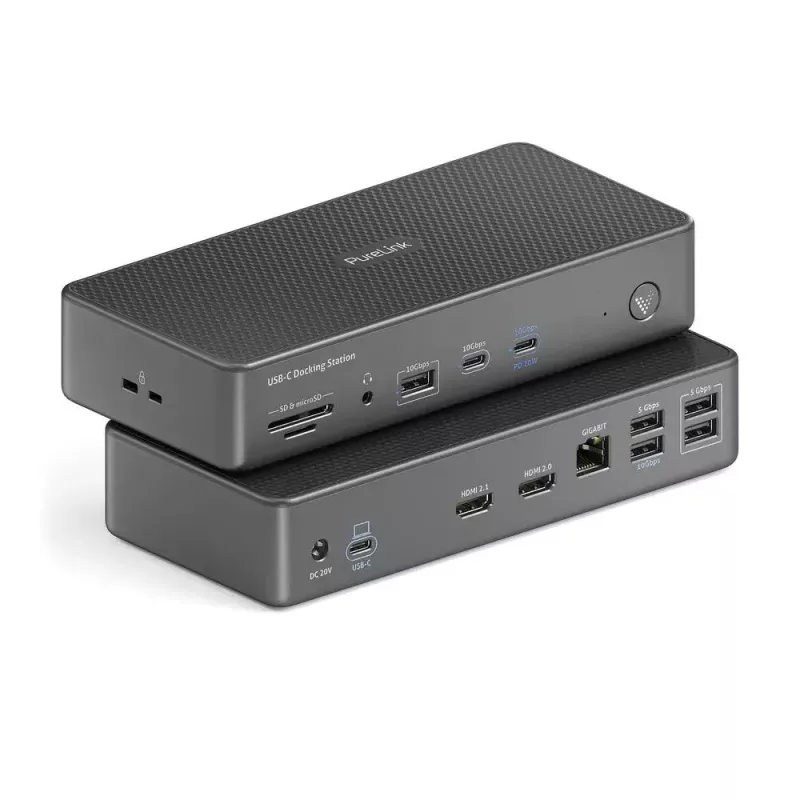
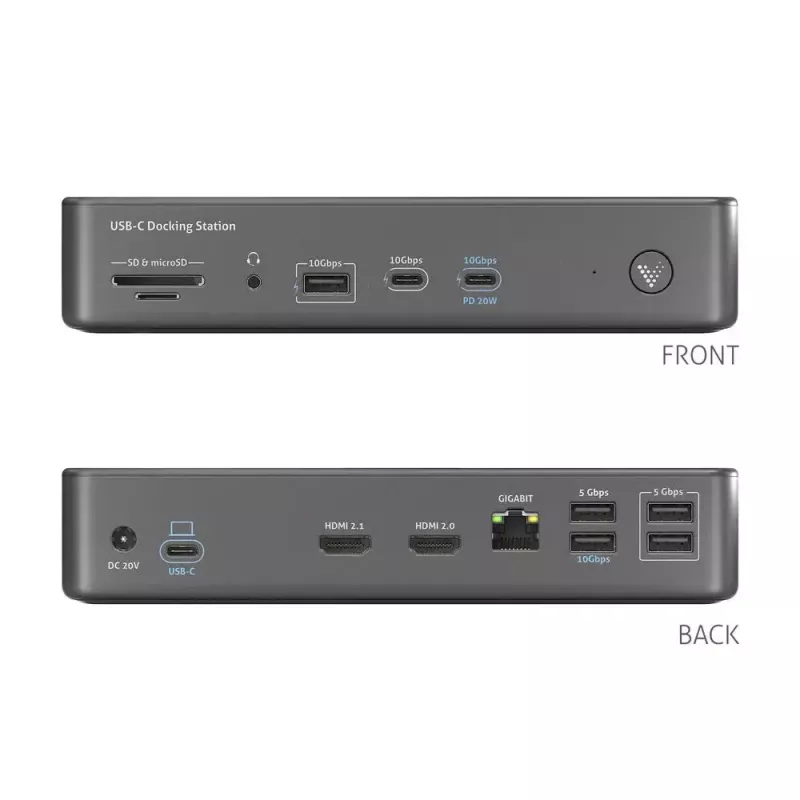
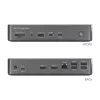
The PureLink VL-D200 (branded Vuelogic in some markets) is a wired laptop docking station that combines USB4 Gen3 input with up to 100W USB Power Delivery and a 40Gbps data link. It provides two HDMI outputs (one supporting HDMI 2.1 up to 8K30 and one HDMI 2.0 up to 4K60), multiple high-speed USB ports, Gigabit Ethernet, SD and microSD card slots, a 3.5mm audio output, and DC power. The VL-D200 is intended to expand connectivity for laptops in home and office environments while keeping a compact, grey design.

Advantages

The dock supports up to 100W PD pass-through charging while offering a 40Gbps USB4 Gen3 connection for fast data transfer. Dual HDMI outputs allow a multi-monitor workspace with one screen at up to 8K30 and a second at up to 4K60. Multiple USB ports (including 10Gbps-capable Type-A ports and additional 5Gbps ports) plus SD/microSD card readers and Gigabit Ethernet reduce the need for separate adapters and simplify a wired workstation setup.

Suitable for

  • Expanding laptop connectivity in home offices and corporate workspaces
  • Dual-monitor setups for productivity, presentations or content review
  • Users who require wired Gigabit Ethernet access and fast USB data transfer
  • Photographers and content creators who need SD/microSD card access

Key specifications

  • Model: PureLink VL-D200 (Vuelogic D200)
  • Input: USB4 Gen3 with 40Gbps data rate and up to 100W USB Power Delivery
  • HDMI: 2 ports — primary HDMI 2.1 (up to 8K30), secondary HDMI 2.0 (up to 4K60)
  • USB ports: 4x 10Gbps (Type-A) and additional 3x 5Gbps plus 2x USB 2.0 (per source data)
  • Ethernet: 1x Gigabit RJ-45
  • Card readers: SD and microSD slots
  • Audio: 3.5 mm output jack
  • Power: DC-powered dock; pass-through charging up to 100 W
  • Colour: Grey

How to use

Connect the VL-D200 to your laptop using the USB4 input cable and, if required, connect the DC power adapter to enable full 100W pass-through charging. Attach external displays to the HDMI outputs according to the resolution and refresh-rate support (primary port for higher-resolution single-screen use). Plug USB peripherals, SD or microSD cards, and a wired Ethernet cable into the corresponding ports. Configure display settings in your operating system to enable extended or mirrored desktop layouts.

Recommendations

For best performance, use a USB4-compatible host device to achieve 40Gbps transfer speeds and full 100W PD. When driving dual displays at high resolutions, ensure your laptop graphics and host port support the chosen output modes; connect only the required peripherals to avoid exceeding power budgets.
Punti salienti
  • Expanding laptop connectivity in home offices and corporate workspaces
  • Dual-monitor setups for productivity, presentations or content review
  • Users who require wired Gigabit Ethernet access and fast USB data transfer
  • Photographers and content creators who need SD/microSD card access
  • Model: PureLink VL-D200 (Vuelogic D200)
  • Input: USB4 Gen3 with 40Gbps data rate and up to 100W USB Power Delivery
  • HDMI: 2 ports — primary HDMI 2.1 (up to 8K30), secondary HDMI 2.0 (up to 4K60)
  • USB ports: 4x 10Gbps (Type-A) and additional 3x 5Gbps plus 2x USB 2.0 (per source data)
  • Ethernet: 1x Gigabit RJ-45
  • Card readers: SD and microSD slots
  • Audio: 3.5 mm output jack
  • Power: DC-powered dock; pass-through charging up to 100 W
  • Colour: Grey
Specifiche
Colore del prodotto
Grey
Ethernet LAN
Yes
Frequenza di aggiornamento massima
60 Hz
Lettore di schede integrato
Yes
Numero di porte HDMI
2
Numero di porte USB 2.0
2
Numero di porte USB 3.2 Gen 1 (3.1 Gen 1) Type-A
5
Numero di porte USB 3.2 Gen 1 (3.1 Gen 1) Type-C
1
Porta combo cuffie/microfono
Yes
Porte Ethernet LAN (RJ-45)
1
Quantità per confezione
1 pc(s)
Schede di memoria compatibili
MicroSD (TransFlash), SD
Slot per cavo di sicurezza
Yes
Tecnologia di connettività
Wired
Tipo di fonte di alimentazione
DC
Tipo di slot per cavo di sicurezza
Kensington
USB Power Delivery (USB PD)
Yes
USB Power Delivery fino a
100 W
Velocità di trasferimento dati
40 Gbit/s
Versione HDMI
2.0/2.1

Brochure

Apri documento

Documento

Apri documento

Documento

Apri documento
Storico prezzi degli ultimi 6 mesi
Dock per laptop PureLink VL-D200 con filo grigio USB Power Delivery HDMI 2.0
Attuale
269,92 €
Minimo
211,81 €
Massimo
275,17 €
Variazione 24 h
-0,42 €   0%
Settimana
-0,99 €   0%
Mese
+0,19 €   +0%

Prodotti più popolari in questa categoria

Ciao, sono l'assistente AI di DistriNode. Posso aiutarti a trovare prodotti, confrontare le opzioni, creare preventivi in PDF o aprire richieste di assistenza.