
Account Contatti
Il tuo carrello
Spedizione DPD & FedEx
Serve aiuto? Chiedi all'AI

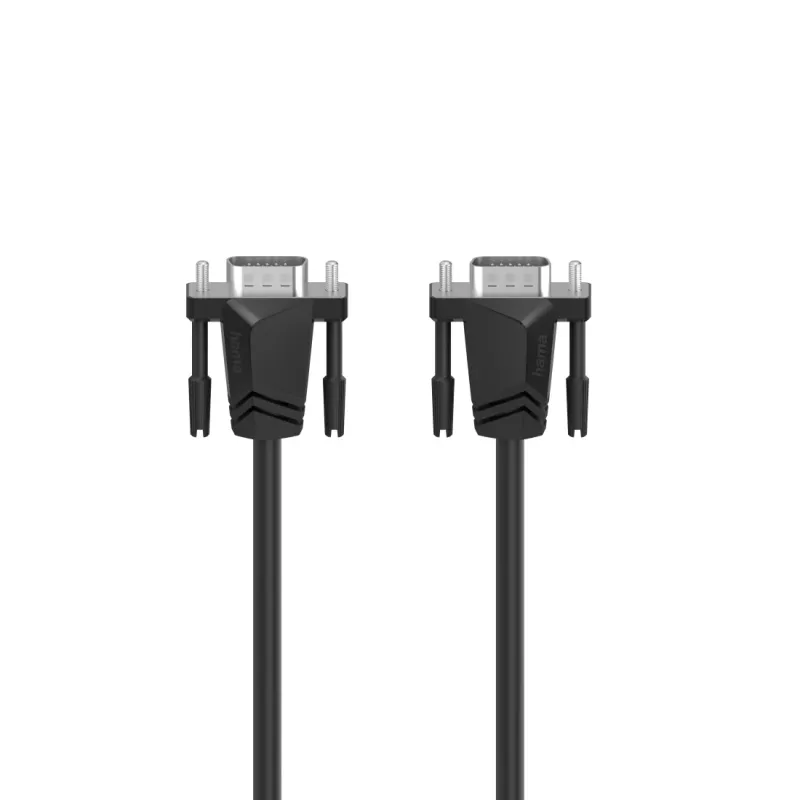
Hama 00200707 Cavo VGA 1,5 m VGA (D-Sub) nero

Hama 00200707 Cavo VGA 1,5 m VGA (D-Sub) nero
25,14 €
The Hama 00200707 VGA Cable 1.5m is a standard analog video cable with two VGA (D-Sub) connectors designed to transmit video signals between compatible devices. With a 1.5 meter length and a black jacket, this cable supports common VGA-equipped computers, monitors and projectors, offering a straight... Leggi di più
Stock 8 Codice 2218537 Marca HAMA Modello 00200707 Garanzia 2 anni

Spedizioni e resi

Consegna stimata Giovedì, Ottobre 22
Ti terremo aggiornato tramite il nostro sistema di tracciamento dettagliato
Opzioni di pagamento
Carta di credito/debitoVisaMastercardPayPalApple PayGoogle PayBonifico bancario

The Hama 00200707 VGA Cable 1.5m is a standard analog video cable with two VGA (D-Sub) connectors designed to transmit video signals between compatible devices. With a 1.5 meter length and a black jacket, this cable supports common VGA-equipped computers, monitors and projectors, offering a straightforward wired connection for displaying video content or extending desktop setups.

Advantages

This VGA cable provides a stable analog video connection with secure D-Sub connectors at both ends. The 1.5 m length balances reach and cable management for desktop and meeting-room setups while the black outer sheath resists everyday wear. The cable's design focuses on reliable signal transmission for standard VGA resolutions and consistent mechanical connection to VGA ports.

Suitable for

  • Connecting a PC or laptop with a VGA output to a monitor
  • Linking a computer to a VGA projector for presentations
  • Extending desktop display arrangements in home or office environments
  • Replacing or carrying a spare VGA cable for travel or mobile setups

Key specifications

  • Cable length: 1.5 m
  • Connectors: VGA (D-Sub) to VGA (D-Sub)
  • Colour: Black
  • Conductor type: standard copper conductors (analog signal transmission)

How to use

Ensure both devices are powered off or that the display output is disabled before connecting. Align the 15-pin VGA connector with the device's VGA port and gently insert it until the connector rests flush; tighten the thumb screws or securing screws by hand to prevent accidental disconnection. Power on the display device and source device, then select the appropriate input on the monitor or projector. Adjust display resolution and refresh rate in the source device settings as needed for optimal image quality.

Recommendations

For best results, route the cable away from strong electromagnetic sources (large power supplies, transformers, or unshielded power cables) to minimize potential interference. Use secure fastening for the connector screws and avoid sharp bends to prolong cable life. If higher resolutions or digital interfaces are required, consider using a digital cable type such as DVI or HDMI with appropriate adapters.

Punti salienti
  • For high-resolution full HD quality up to 1920 x 1080 pixels (1080p)
  • Impedance of 75 ohms for optimum transmission quality
  • Double shielding for good reduction of electromagnetic interference
  • Flexible materials guarantee optimum kink protection and prevent cable breakage
  • High-quality materials and workmanship guarantee excellent transmission quality
  • 1.5 m
  • VGA (D-Sub) Male
  • VGA (D-Sub) Male
  • Black
  • 1 pc(s)
Specifiche
Colore del prodotto
Black
Connettore 1
VGA (D-Sub)
Connettore 1 maschio/femmina
Male
Connettore 2
VGA (D-Sub)
Connettore 2 maschio/femmina
Male
Lunghezza del cavo
1.5 m
Quantità per confezione
1 pc(s)

Brochure

Apri documento
Storico prezzi degli ultimi 6 mesi
Hama 00200707 Cavo VGA 1,5 m VGA (D-Sub) nero
Attuale
25,14 €
Minimo
24,00 €
Massimo
25,14 €
Variazione 24 h
+0,78 €   +3%
Settimana
+0,83 €   +3%
Mese
—   

Prodotti più popolari in questa categoria

Ciao, sono l'assistente AI di DistriNode. Posso aiutarti a trovare prodotti, confrontare le opzioni, creare preventivi in PDF o aprire richieste di assistenza.