
Account Contatti
Il tuo carrello
Spedizione DPD & FedEx
Serve aiuto? Chiedi all'AI

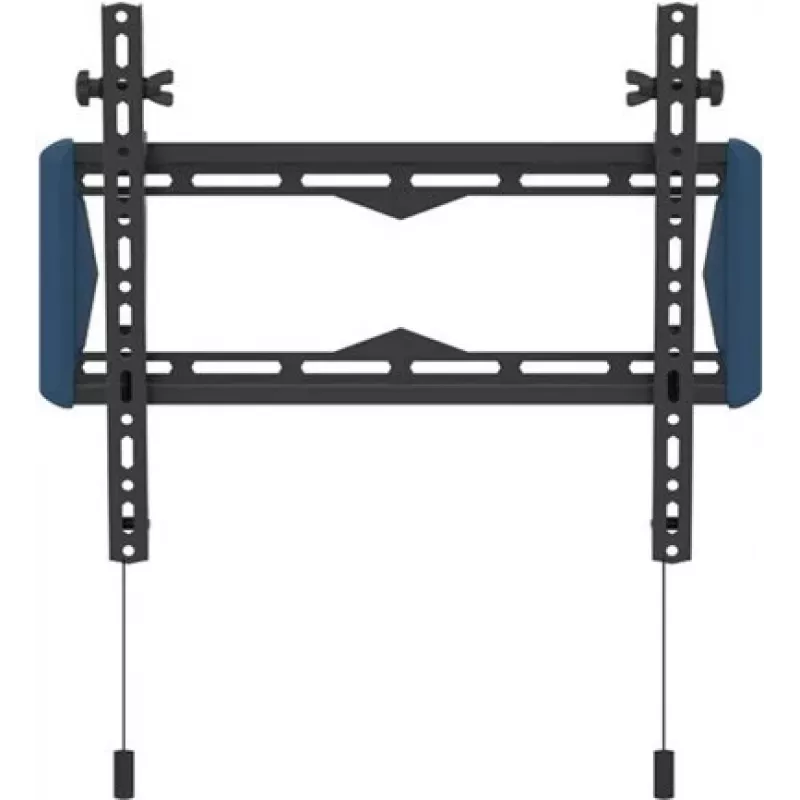
Kit di montaggio a parete B-TECH BT5431 per display e dispositivi, supporto regolabile, modello BT5431/B

Kit di montaggio a parete B-TECH BT5431 per display e dispositivi, supporto regolabile, modello BT5431/B
61,57 €
B-TECH BT5431 wall mounting kit provides a practical solution for installing displays and AV equipment on standard walls. The kit includes an adjustable wall bracket and the necessary fixings to secure screens and associated equipment, allowing stable support and space-saving placement while facilit... Leggi di più
Stock 20 Codice 1458679 Marca B-TECH Modello BT5431/B Garanzia 2 anni

Spedizioni e resi

Consegna stimata Lunedì, Ottobre 19
Ti terremo aggiornato tramite il nostro sistema di tracciamento dettagliato
Opzioni di pagamento
Carta di credito/debitoVisaMastercardPayPalApple PayGoogle PayBonifico bancario

B-TECH BT5431 wall mounting kit provides a practical solution for installing displays and AV equipment on standard walls. The kit includes an adjustable wall bracket and the necessary fixings to secure screens and associated equipment, allowing stable support and space-saving placement while facilitating cable routing behind the mounted device.

Advantages

The adjustable bracket design allows for accurate alignment and positioning of displays. The kit delivers stable support for a range of display sizes and AV equipment typically used in home, office, or commercial installations. Included fixings simplify the installation process on standard wall constructions, and the bracket leaves clearance for cable routing and ventilation behind the display.

Suitable for

  • Mounting flat-panel displays in residential living rooms and home offices
  • AV displays and equipment in meeting rooms and offices
  • Commercial signage and information displays in retail or public spaces

Key specifications

  • Adjustable wall bracket for varied display alignment
  • Includes wall fixings suitable for standard wall types
  • Supports cable routing behind the mounted device
  • Space-saving profile for close-to-wall installation

How to use

Position the wall bracket at the required mounting height and mark fixing points according to the display dimensions and the bracket template. Secure the bracket to the wall using the supplied fixings appropriate for the wall type, taking care to use suitable anchors for masonry or stud fixings for drywall. Attach the display or AV equipment to the bracket following the display manufacturer’s instructions, check alignment and level, then route and secure cables through the clearance provided behind the bracket. Verify that all fixings are tightened and the installation is stable before releasing the equipment.

Recommendations

Use appropriate wall anchors for your wall material and confirm the combined weight of display and accessories does not exceed the bracket’s rated capacity. If mounting on drywall, locate studs or use rated drywall anchors; for masonry, use suitable masonry fixings. For heavy displays or non-standard installations, seek professional installation.

Punti salienti
  • Mounting flat-panel displays in residential living rooms and home offices
  • AV displays and equipment in meeting rooms and offices
  • Commercial signage and information displays in retail or public spaces
  • Adjustable wall bracket for varied display alignment
  • Includes wall fixings suitable for standard wall types
  • Supports cable routing behind the mounted device
  • Space-saving profile for close-to-wall installation
Storico prezzi degli ultimi 6 mesi
Kit di montaggio a parete B-TECH BT5431 per display e dispositivi, supporto regolabile, modello BT5431/B
Attuale
61,57 €
Minimo
60,62 €
Massimo
76,92 €
Variazione 24 h
+0,64 €   +1%
Settimana
+0,51 €   +1%
Mese
+0,78 €   +1%
Ciao, sono l'assistente AI di DistriNode. Posso aiutarti a trovare prodotti, confrontare le opzioni, creare preventivi in PDF o aprire richieste di assistenza.